Secondary Leaving Certificate Applied

LCA ICT Vocational Specialism

A Curriculum 2026 ICT Vocational Specialism course covering advanced word processing, presentation of ideas, spreadsheets and digital literacy.

  • Mapped to the NCCA curriculum

The whole first lesson, as your class sees it. No sign-in needed.

On the board, and on their devices
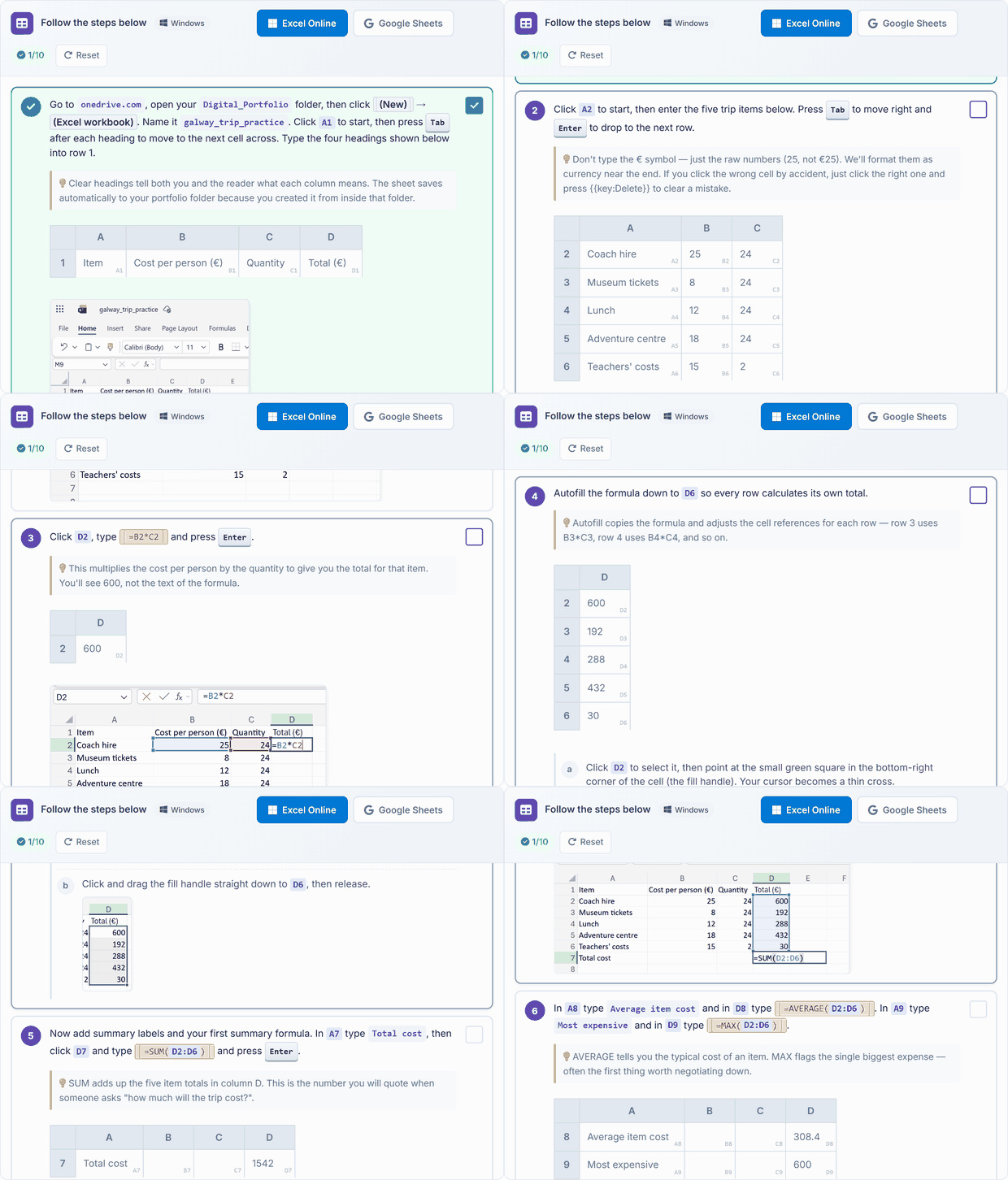
Building a spreadsheet, step by step
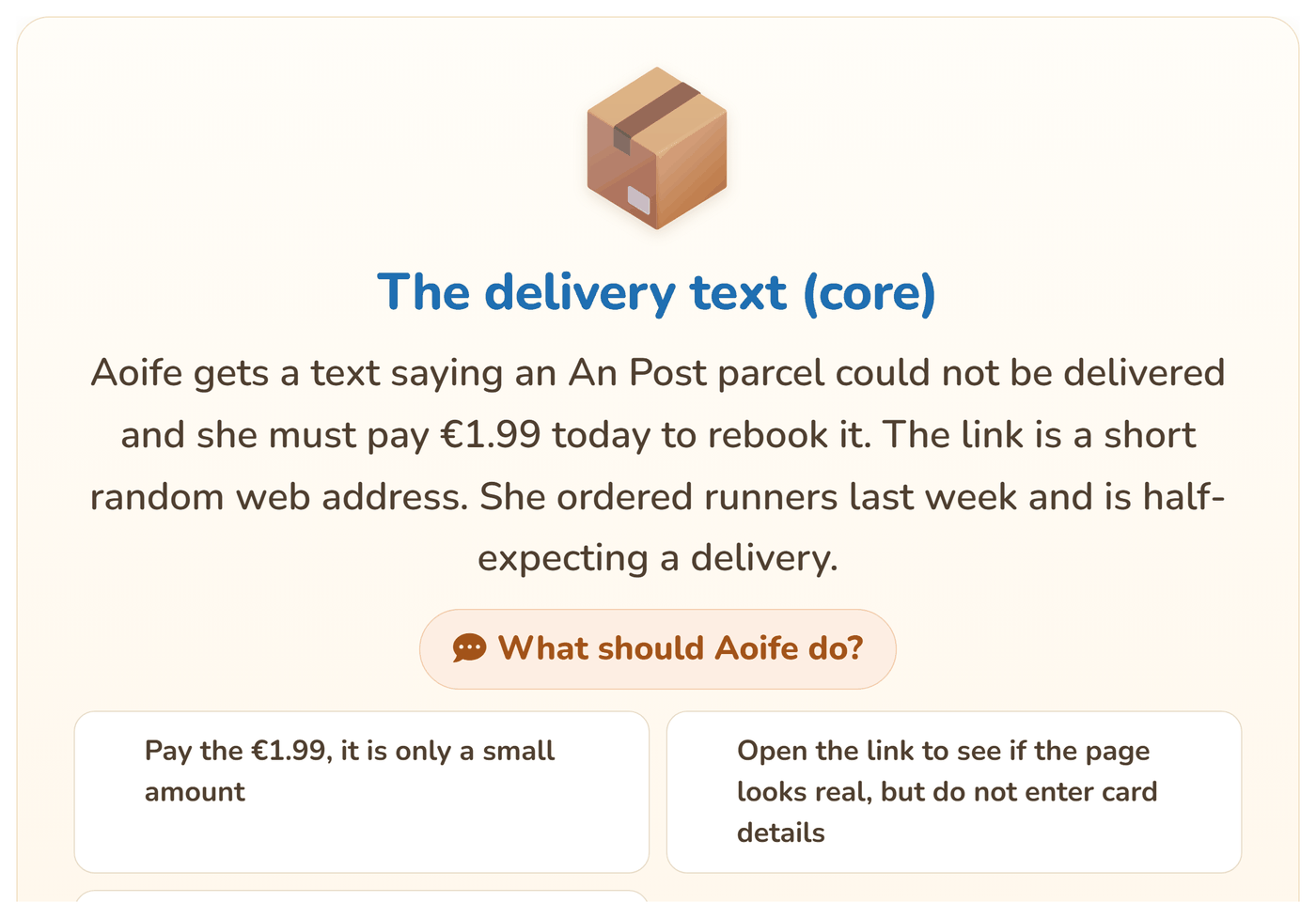
A scam text: what should Aoife do?
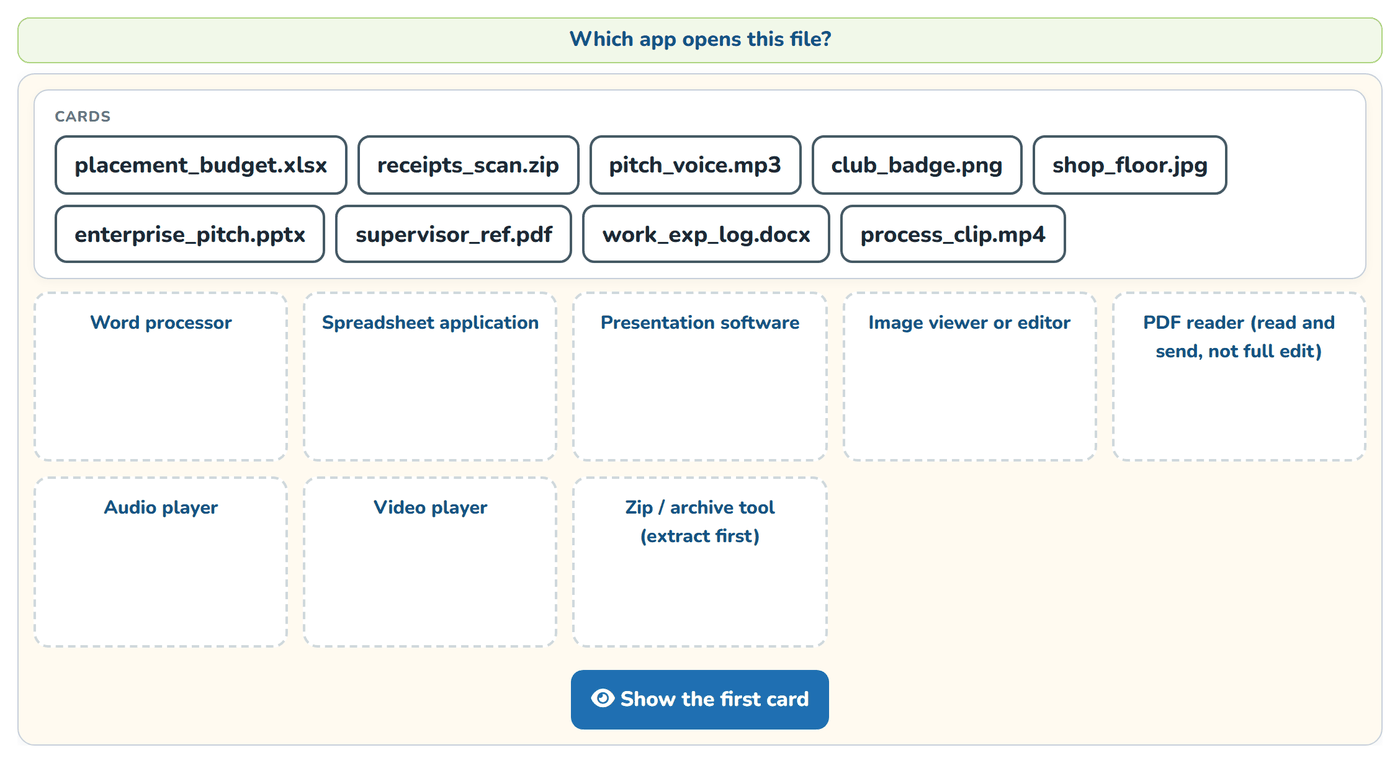
Which app opens this file?

The same lesson opens on each student's own device, to follow in class and finish at home.

What your school gets

Everything a teacher needs to teach LCA ICT Vocational Specialism this year.

In class

  • 120 lessons, ready to teach Each one planned step by step, taught from the board with the same lesson open on each student's device. 7 interactive activities across the course.
  • Quizzes and assessments A short quiz with every lesson.
  • Progress and resultsWhat each student has completed, and how they did.
  • CertificatesFor portfolios, open days and reports home.
  • Try the first lesson: Specialism Kickoff: Project, Portfolio, and What's Different

On paper

  • Teacher Resource BookThe whole course laid out for the teacher, lesson by lesson, ready to print.
    The sample lesson's pages

The whole books come with the course, in each class's Resources.

The curriculum it covers

Every lesson is mapped to the specification. This course teaches 42 of the 42 outcomes for this class.

Module 1: Word processing 10 of 10 outcomes
Module 2: The Presentation of ideas 11 of 11 outcomes
Module 3: Spreadsheets 11 of 11 outcomes
Module 4: The internet and digital literacy 10 of 10 outcomes
See every outcome
Curriculum Area
Outcomes
Module 1: Word processing
Unit 1: Basic theory
M1.U1.1 M1.U1.2 M1.U1.3
Unit 2: Entering and manipulating text
M1.U2.1 M1.U2.2 M1.U2.3
Unit 3: Additional techniques
M1.U3.1 M1.U3.2 M1.U3.3 M1.U3.4
Module 2: The Presentation of ideas
Unit 1: Basic presentation skills
M2.U1.1 M2.U1.2 M2.U1.3 M2.U1.4
Unit 2: Creating and editing
M2.U2.1 M2.U2.2 M2.U2.3 M2.U2.4
Unit 3: Additional techniques
M2.U3.1 M2.U3.2 M2.U3.3
Module 3: Spreadsheets
Unit 1: Basic spreadsheet theory
M3.U1.1 M3.U1.2 M3.U1.3 M3.U1.4
Unit 2: Creating and editing
M3.U2.1 M3.U2.2 M3.U2.3
Unit 3: Additional techniques
M3.U3.1 M3.U3.2 M3.U3.3 M3.U3.4
Module 4: The internet and digital literacy
Unit 1: Basic theory
M4.U1.1 M4.U1.2 M4.U1.3
Unit 2: Digital information literacy
M4.U2.1 M4.U2.2 M4.U2.3 M4.U2.4
Unit 3: Principles and practices
M4.U3.1 M4.U3.2 M4.U3.3

Tap any outcome to read it. The coloured ones are taught in this course. The curriculum does not include official reference codes for individual learning outcomes, so we have assigned a code scheme to make it easier to identify and track coverage.

The course, module by module

120 lessons in 4 modules. The lesson marked Sample opens in full.

1 ICT Specialism 1: Word Processing 30 lessons · about 30 hours
  1. Basic Theory
  2. 1 Specialism Kickoff: Project, Portfolio, and What's Different Sample lesson Quiz
  3. 2 Project Folders That Stay Findable: Drafts, Finished, Evidence Quiz
  4. 3 Document Templates: When, Why, How Quiz
  5. 4 Creating a Document from a Template Quiz
  6. 5 Save and Export: .Docx, .Pdf, and .Rtf Quiz
  7. 6 Character and Word Formatting: Best Practice Rules Quiz
  8. 7 Paragraph and Line Spacing: Best Practice Quiz
  9. 8 Styles and the Styles Gallery Quiz
  10. 9 Using Styles Consistently Across a Document Quiz
  11. 10 Unit 1 Recap and Document Formatting Workshop Quiz
  12. Entering and Manipulating Text
  13. 11 Columns and Newspaper Layout Quiz
  14. 12 Page Orientation Changes Within a Document Quiz
  15. 13 Advanced Text Formatting: Professional Headline Colour Quiz
  16. 14 Inserting Special Characters and Symbols Quiz
  17. 15 Find and Replace: Advanced Quiz
  18. 16 Track Changes and Comments Quiz
  19. 17 Accepting and Rejecting Edits Quiz
  20. 18 Proofing Tools: Spell, Grammar, Readability Quiz
  21. 19 Manual Proofing Techniques Quiz
  22. 20 Unit 2 Recap and Multi-format Document Workshop Quiz
  23. Additional Techniques
  24. 21 Advanced Tables: Merged Cells, Styles, Header Rows Quiz
  25. 22 Inserting and Formatting Images, Graphics, Drawn Objects Quiz
  26. 23 Headers, Footers and Page Breaks: Cover Versus Body Quiz
  27. 24 Pagination and Linked Table of Contents Quiz
  28. 25 Mail Merge Part 1: Data Source and Template Quiz
  29. 26 Mail Merge Part 2: Running the Merge Quiz
  30. 27 Design Principles: Layout, Hierarchy, Whitespace Quiz
  31. 28 Audience-driven Layout Evaluation Quiz
  32. Key Assignment Workshops
  33. 29 KA1 Workshop: Coursework Document and Skills Explanation Quiz
  34. 30 KA2 Workshop: Table-based Information Document Quiz
2 ICT Specialism 2: the Presentation of Ideas 30 lessons · about 30 hours
  1. Basic Presentation Skills
  2. 31 Specialism Module 2 Kickoff: Why Presentation Matters and VET Brief Quiz
  3. 32 Design Principles: a Tour of Well-designed Presentations Quiz
  4. 33 Design Principles: a Tour of Poorly-designed Presentations Quiz
  5. 34 Identifying Purpose of a Presentation Quiz
  6. 35 Identifying Audience Quiz
  7. 36 Requirements Analysis: Matching Format to Purpose and Audience Quiz
  8. 37 Accessibility Features in Presentations Quiz
  9. 38 Universal Design Principles Quiz
  10. 39 Applying Universal Design to Your VET Work Quiz
  11. 40 Unit 1 Recap and Design Critique Workshop Quiz
  12. Creating and Editing
  13. 41 Choosing the Right Digital Format: Final Decision Quiz
  14. 42 Building a Slide Presentation: Structure First Quiz
  15. 43 Structure-first for Non-slide Formats Quiz
  16. 44 Content: Filling in the Structure Quiz
  17. 45 Editing, Formatting, Proofing: First Pass Quiz
  18. 46 Publishing in a Suitable Medium Quiz
  19. 47 Presenting to Peers: Pair Rehearsal Round 1 Quiz
  20. 48 Acting on Feedback Quiz
  21. 49 Benefits and Challenges of Digital Formats: Class Discussion Quiz
  22. 50 Unit 2 Recap and Format 2 Check-in Quiz
  23. Additional Techniques
  24. 51 Templates and Template Manipulation Quiz
  25. 52 Motion: Slide Animations, Video Cuts, Capcut Effects Quiz
  26. 53 Interactive Components, Hooks, and Engagement Devices Quiz
  27. 54 Sound and Audio Integration Quiz
  28. 55 Engaging an Audience: Techniques That Work Quiz
  29. 56 Cross-format Comparison: When to Use Which Quiz
  30. Key Assignment Workshops and VET Handover
  31. 57 KA1 Workshop Part 1: Polish Format 1 Quiz
  32. 58 KA1 Workshop Part 2: Polish Format 2 Quiz
  33. 59 KA2 Workshop: Reflection and Justification Quiz
  34. 60 VET Handover: Final Rehearsal and Interview Prep Quiz
3 ICT Specialism 3: Spreadsheets 30 lessons · about 30 hours
  1. Basic Spreadsheet Theory
  2. 61 Specialism Module 3 Kickoff: Revisit Your Project Data Quiz
  3. 62 What Real People Actually Use Spreadsheets For Quiz
  4. 63 Default Templates: What's Available Quiz
  5. 64 Building from a Template Quiz
  6. 65 File Formats and Conversion Quiz
  7. 66 Data Input Best Practice Quiz
  8. 67 Data Manipulation: Select, Sort, Copy, Move, Delete Quiz
  9. 68 Multiple Worksheets: Copying, Moving, Deleting, Renaming Quiz
  10. 69 Logical Formulas with Standard Functions: Recap and Extend Quiz
  11. 70 Unit 1 Recap and Multi-sheet Workbook Workshop Quiz
  12. Creating and Editing
  13. 71 VAT, Percentages, Currency Formatting Quiz
  14. 72 Tax Calculations with Formulas Quiz
  15. 73 Time and Date Data Quiz
  16. 74 Charts from Data: Going Deeper, with Real Data Quiz
  17. 75 Graphs and Data Tables Quiz
  18. 76 Advanced Chart Interpretation Quiz
  19. 77 Error Values: #NAME?, #DIV/0!, #REF!, #VALUE! Quiz
  20. 78 Formula Auditing: Trace Dependents and Precedents Quiz
  21. 79 Cell Formatting: Colours, Hidden Rows and Columns, Toolbar Control Quiz
  22. 80 Unit 2 Recap and Enterprise Spreadsheet Workshop Quiz
  23. Additional Techniques
  24. 81 Filters: Understanding and Applying Quiz
  25. 82 Standard Functions: SUM, AVERAGE, MIN, MAX, COUNT, ROUND Quiz
  26. 83 Cell References: Relative, Absolute, Mixed Quiz
  27. 84 Arithmetic Operators and Formula Construction Quiz
  28. 85 Page Setup for Printing: Margins, Orientation Quiz
  29. 86 Gridlines and Print Area Selection Quiz
  30. 87 Printing Selected Charts Quiz
  31. 88 Character, Field, Record, File, Data Type, Key Field Quiz
  32. Key Assignment Workshops
  33. 89 KA1 Workshop: Problem-solving Spreadsheet Quiz
  34. 90 KA2 Workshop: Graphical Data Representation and Interpretation Quiz
4 ICT Specialism 4: the Internet and Digital Literacy 30 lessons · about 30 hours
  1. Basic Theory
  2. 91 Specialism Module 4 Kickoff: the Bigger Picture Quiz
  3. 92 Commonly-used Terms: Web Browsers, UI, Cloud Storage Quiz
  4. 93 Data Protection, Viruses, Malware, Spam: Deep Dive Quiz
  5. 94 Advanced Email: Attachments and Hyperlinks Quiz
  6. 95 Email Management: Searching, Sorting, Filing Quiz
  7. 96 Online Communities: Where Creators and Interest Groups Actually Hang Out Quiz
  8. 97 Applications: Mobile, Calendar, Web Conferencing Quiz
  9. 98 School VLE: Find Work and File Evidence Quiz
  10. 99 Digital Safety Risks: Cyberbullying, Identity Theft, and the Digital Age of Consent (16) Quiz
  11. 100 Unit 1 Recap and Safety Workshop Quiz
  12. Digital Information Literacy
  13. 101 Search: Traditional Search, AI Search, and Knowing Which to Use Quiz
  14. 102 Targeted Search for Your Investigation Topic Quiz
  15. 103 Refining Search Results Quiz
  16. 104 Referencing Information Accurately Quiz
  17. 105 Authorship and Authenticity Quiz
  18. 106 Checking Whether Sources Are Independent Quiz
  19. 107 Reliability, Accuracy, Validity, Authority (RAVA) Quiz
  20. 108 Privacy, Data Protection, and the Student's Digital Footprint Quiz
  21. 109 Digital Footprint: Positive and Negative Quiz
  22. 110 Unit 2 Recap and Research Workshop Quiz
  23. Principles and Practices
  24. 111 Online Presentation Formats: Social Media Pages Quiz
  25. 112 Online Presentation Formats: Websites Quiz
  26. 113 Short-form Formats: Vertical Video and Audio Explainers Quiz
  27. 114 Bias in Digital Media: News, Social, and Algorithmic Quiz
  28. 115 Creative Rights and Ownership Quiz
  29. 116 Avoiding Plagiarism in Your Investigation Quiz
  30. 117 Open Source and Creative Commons Quiz
  31. 118 Ethical and Legal Debates Quiz
  32. Key Assignment Workshops and Course Close
  33. 119 KA1 Workshop: Investigate and Present Quiz
  34. 120 KA2 Workshop: Reflection and Course Close Quiz

What students learn

This course develops advanced ICT vocational skills through four integrated specialisms aligned with Curriculum 2026. Students master professional word processing, create purposeful presentations, build and interpret spreadsheets for real-world data tasks, and cultivate critical digital literacy including online research, source evaluation, ethical practice, and safe digital citizenship. Practical key assignments and portfolio work emphasise precision, audience awareness, and reflective justification throughout.

By the end of the course, students can

  1. Design and format complex, professional documents using templates, styles, advanced tables, mail merge, and linked tables of contents
  2. Create and deliver audience-appropriate presentations across multiple digital formats, applying universal design, accessibility features, and interactive elements
  3. Build, format and analyse multi-sheet spreadsheets using formulas, charts, filters, cell references and error auditing to solve real-world problems
  4. Conduct targeted online research, evaluate source reliability using the RAVA test, and reference information accurately
  5. Manage digital safety, protect personal data, maintain a positive digital footprint, and explain ethical and legal issues around online content and creative rights

Ready to bring LCA ICT Vocational Specialism to your school?

Get in touch to discuss pricing and ordering for your school.

Back to Leaving Certificate Applied courses
Ready to get started?
Pricing & Ordering Contact Us
🍪 Our website uses cookies to make your browsing experience better. By using our website you agree to our use of cookies. Learn more