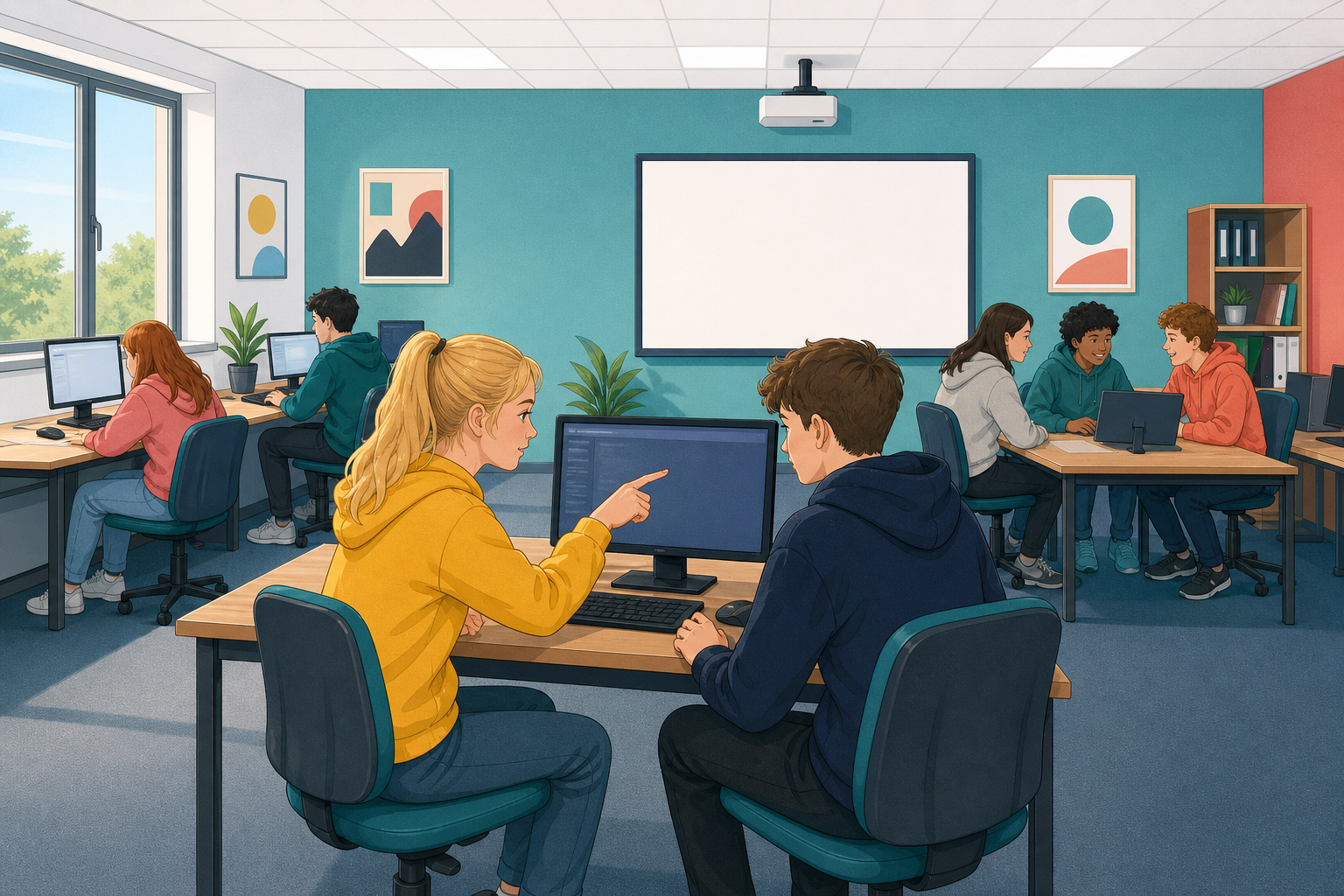
You are going to take a short, working micro:bit Python program that is hard to read and turn it into one anyone could follow. You will rename its unclear variables, add a comment that says what it does, and split a tricky line into clear steps. Same behaviour, far clearer code.
Documentation is anything in a program that helps a human understand it. Two things do most of the work: clear names (a variable called score beats one called x) and comments, lines starting with # that Python ignores but people read. Good documentation does not change what a program does. It changes who can read it.
Go to python.microbit.org. Clear whatever is there and type the program below exactly. It counts button-A presses and scrolls the count. Read it first: can you tell what a, b and c are for? Click Send to micro:bit or run the simulator to prove it works.
from microbit import *

a = 0
b = 0

while True:
    if button_a.is_pressed():
        a = a + 1
        display.scroll(a)
        sleep(300)
    if button_b.is_pressed():
        display.scroll(a)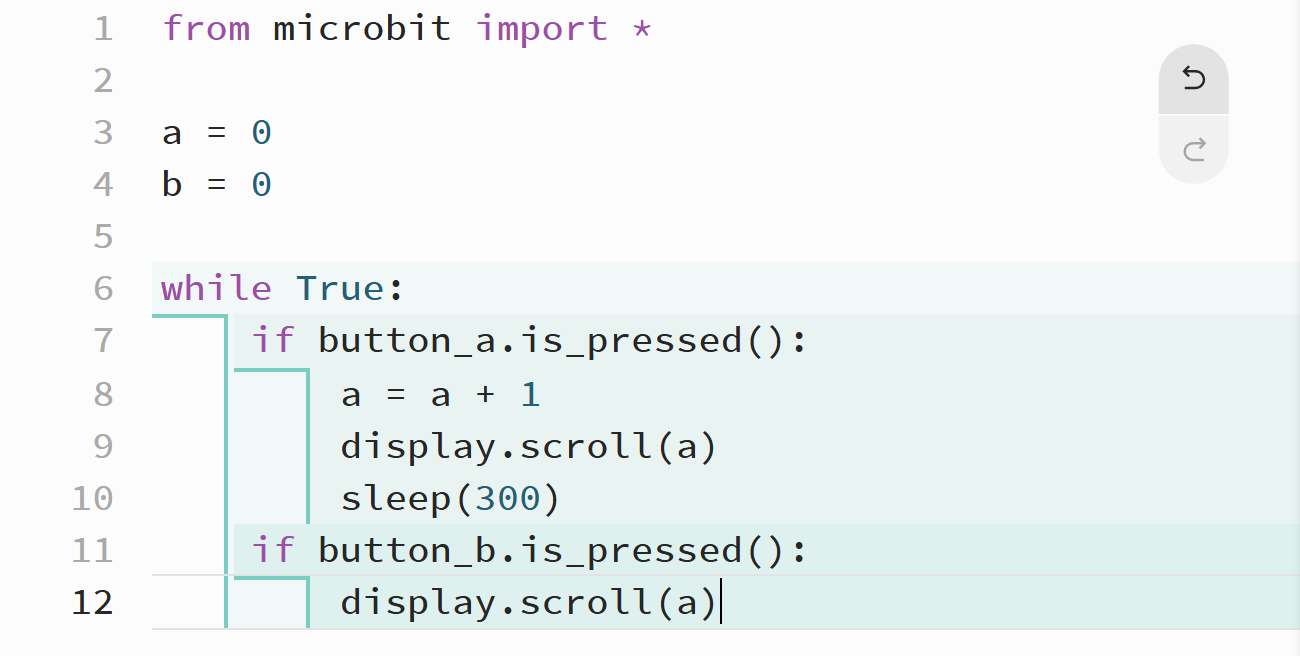
The name a tells you nothing. It is a count of presses, so call it presses. The variable b is never used, so delete it. Change every a to presses.
Your program should now read like the one below. Run it: it behaves exactly the same, but you can read it now.
from microbit import *

presses = 0

while True:
    if button_a.is_pressed():
        presses = presses + 1
        display.scroll(presses)
        sleep(300)
    if button_b.is_pressed():
        display.scroll(presses)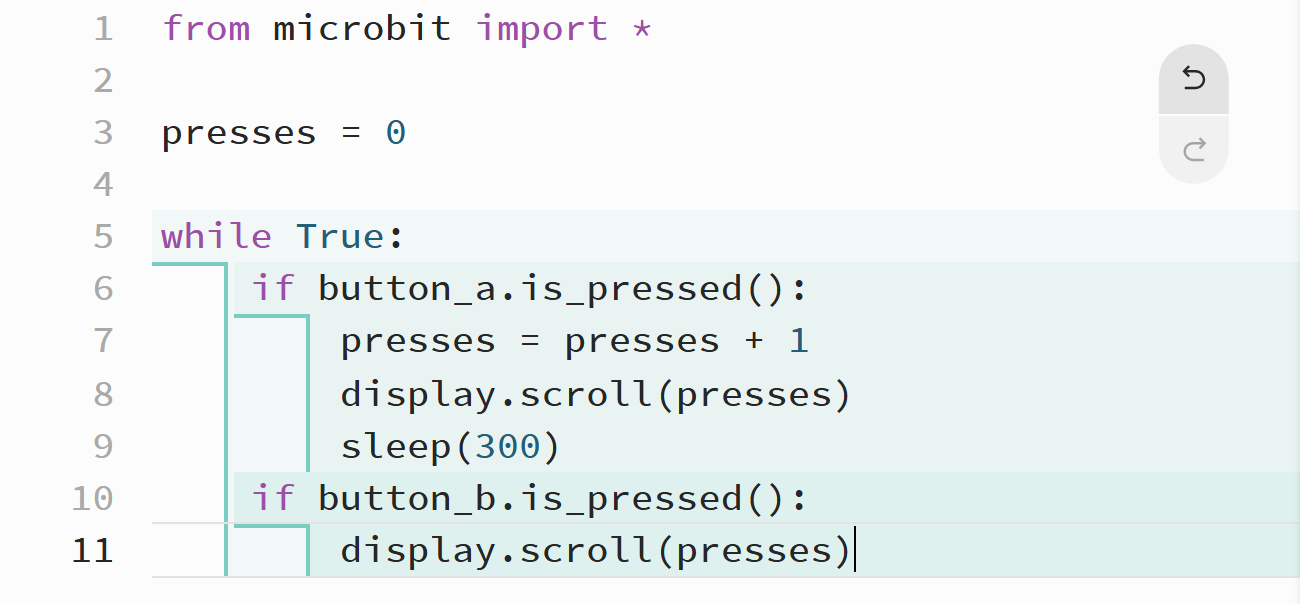
Add a single comment at the top, under the import line, saying what the whole program is for. Write why it exists, not what each line does. Add it exactly where shown below, then run it once more to prove a comment changes nothing about how it works.
from microbit import *

# Counts how many times button A is pressed and shows the total.
# Button B shows the current total without adding to it.
presses = 0

while True:
    if button_a.is_pressed():
        presses = presses + 1
        display.scroll(presses)
        sleep(300)
    if button_b.is_pressed():
        display.scroll(presses)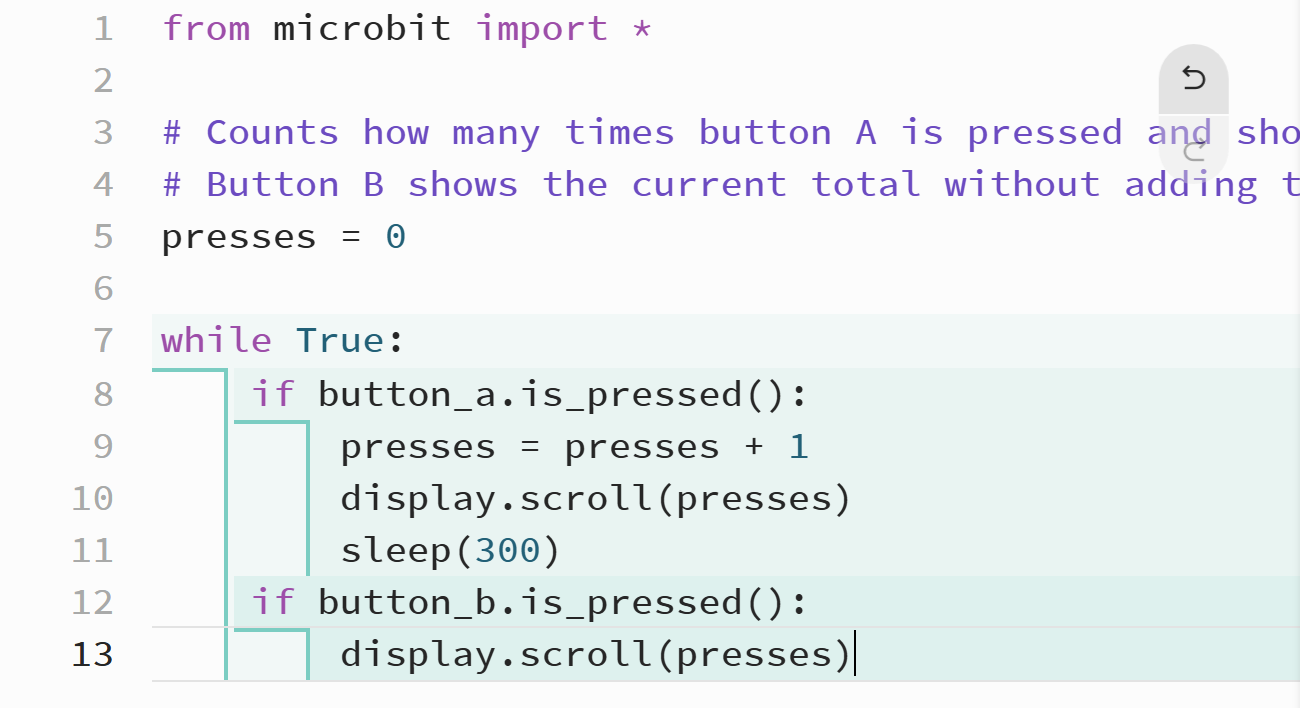
Unlock the full learning experience
You're previewing this lesson. Get full access to this lesson and hundreds more — each one ready to teach, with interactive activities, printable resources and pupil progress tracking built in.
This lesson is copyright of Coding Ireland 2017 - 2026. Unauthorised use, copying or distribution is not allowed.