Makecode Arcade
Beginner
40 mins
Teacher/Student led
+150 XP

Enemies, Lives and Debugging, Part 2

Students continue their MakeCode Arcade Space Shooter, adding lives, spawning asteroids, overlap events, scoring and a lose condition while running, testing and debugging as they build.
Teacher Class Feed

Load previous activity

    1 - Start: What We're Building ~4 mins

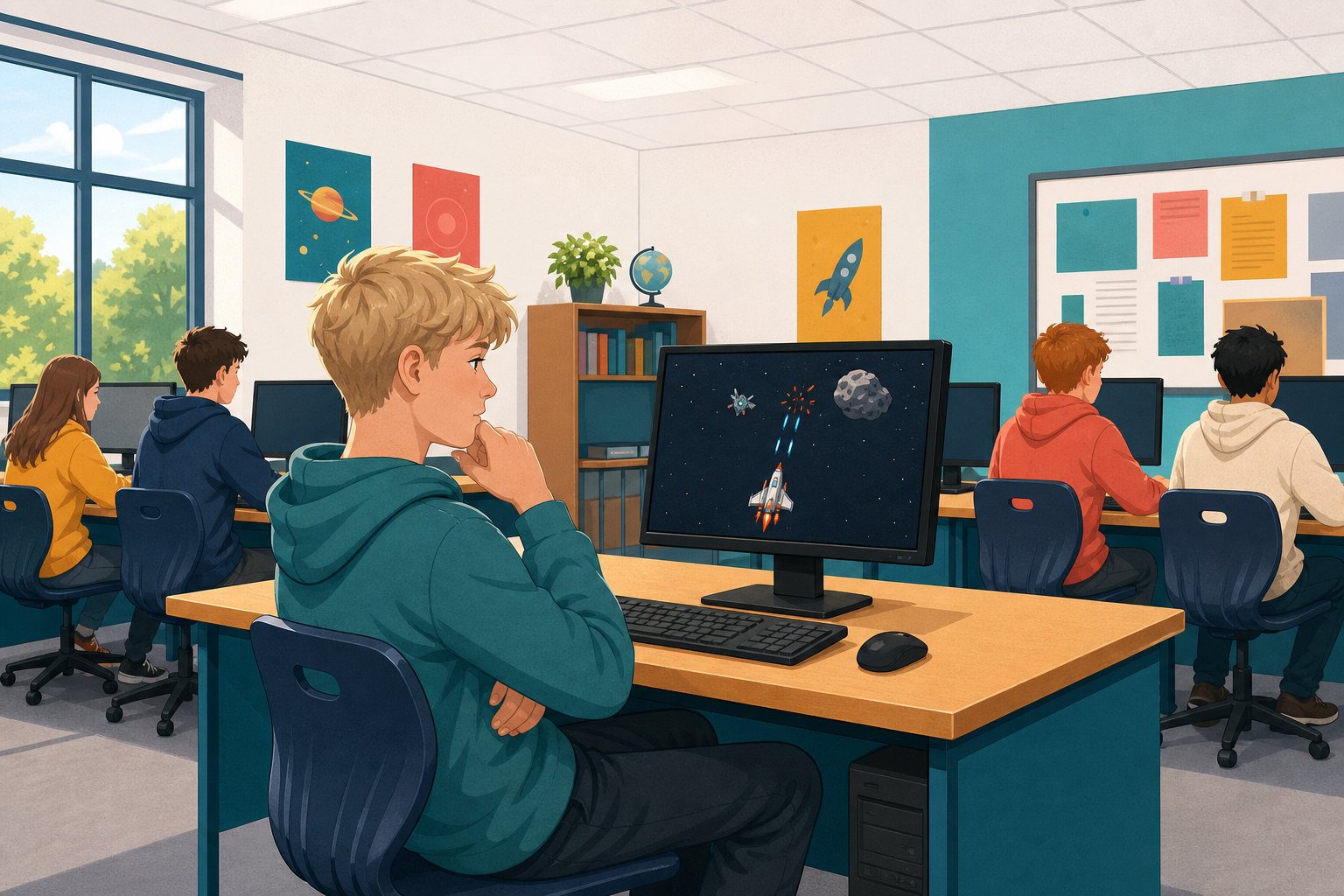
    Illustration for Start: what we're buildingYou can already open a MakeCode Arcade project and move a sprite. Today you will keep building Space Shooter at your device: lives, spawning asteroids, rockets, score and a lose condition.

    Before you run anything new, think: what should happen when an asteroid hits the spaceship? What should happen when a rocket hits an asteroid?

    Open the project you saved earlier. You will predict, build, run and fix as you go.

    2 - Introduction ~2 mins

    Welcome to the Space Shooter game creation lesson! In this exciting course, you will learn how to create your very own space-themed game using MakeCode Arcade. You will control a spaceship that needs to dodge and shoot asteroids. Ready to start your space adventure? Let's dive in!


    3 - Create a New Arcade Project ~2 mins

    Go to the arcade.makecode.com website and create a new project.

    4 - Create Your Spaceship Sprite ~3 mins

    In this game you will control a spaceship that has to dodge and shoot asteroids that come flying at it.

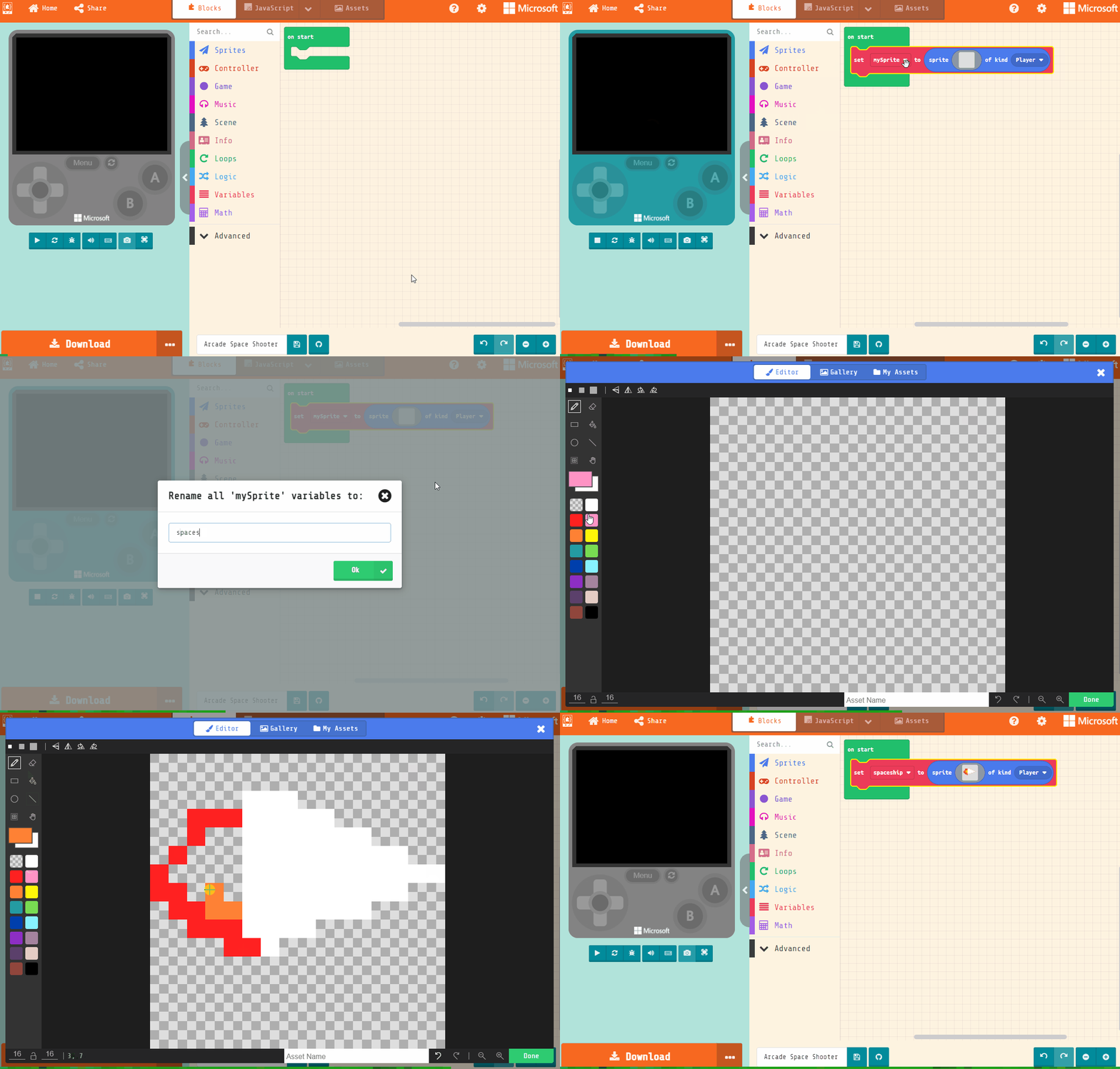
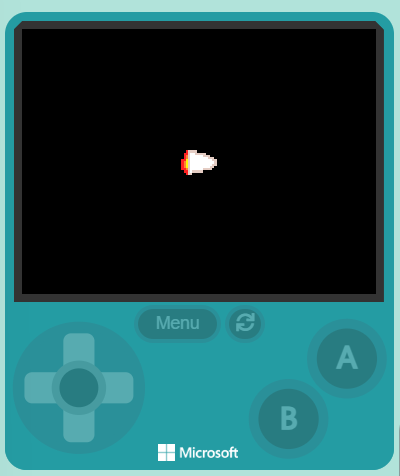
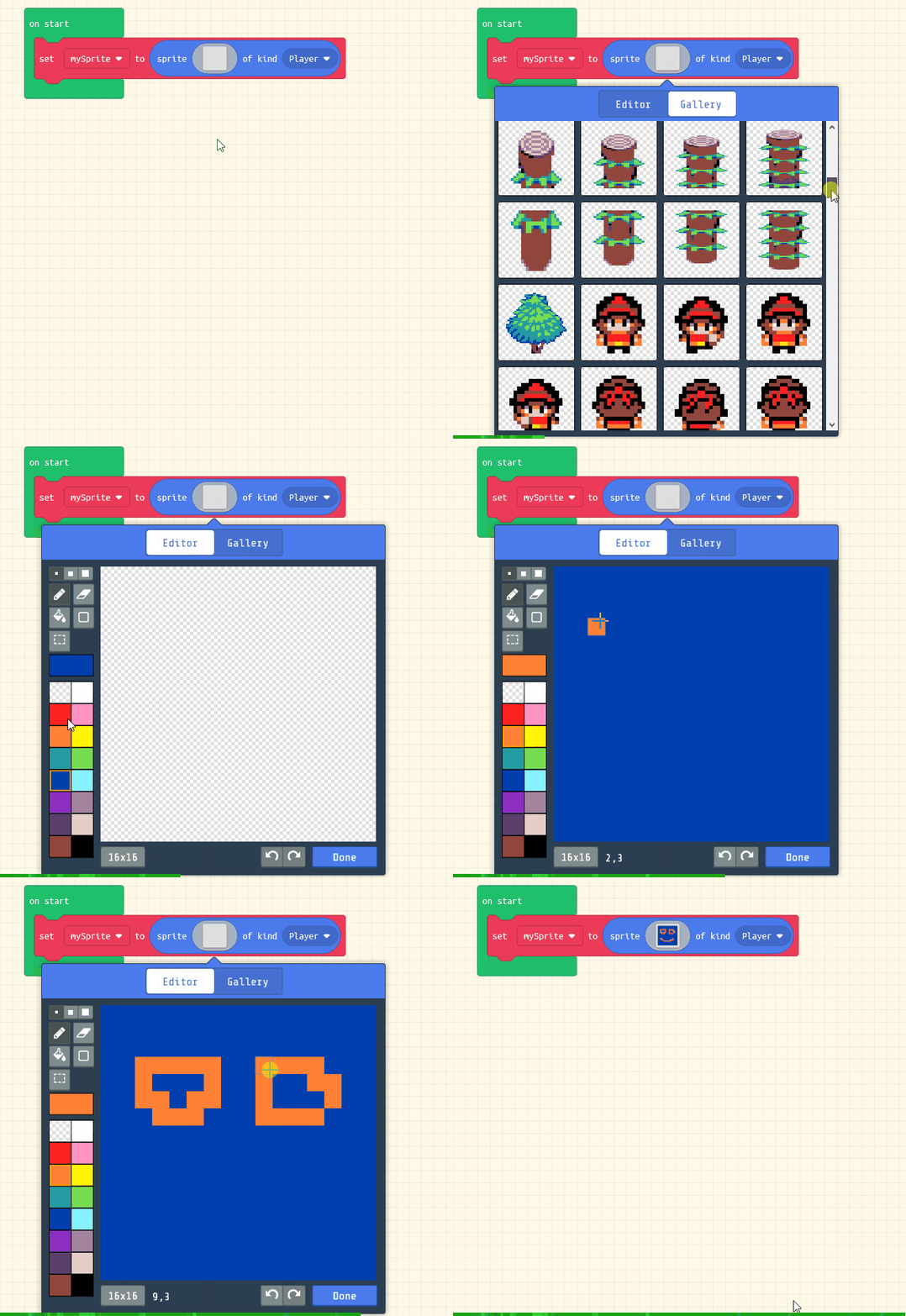
    Add the following code to create the spaceship sprite and use the sprite editor to design your spaceship. It should point towards the right as that's where the asteroids will be coming from.

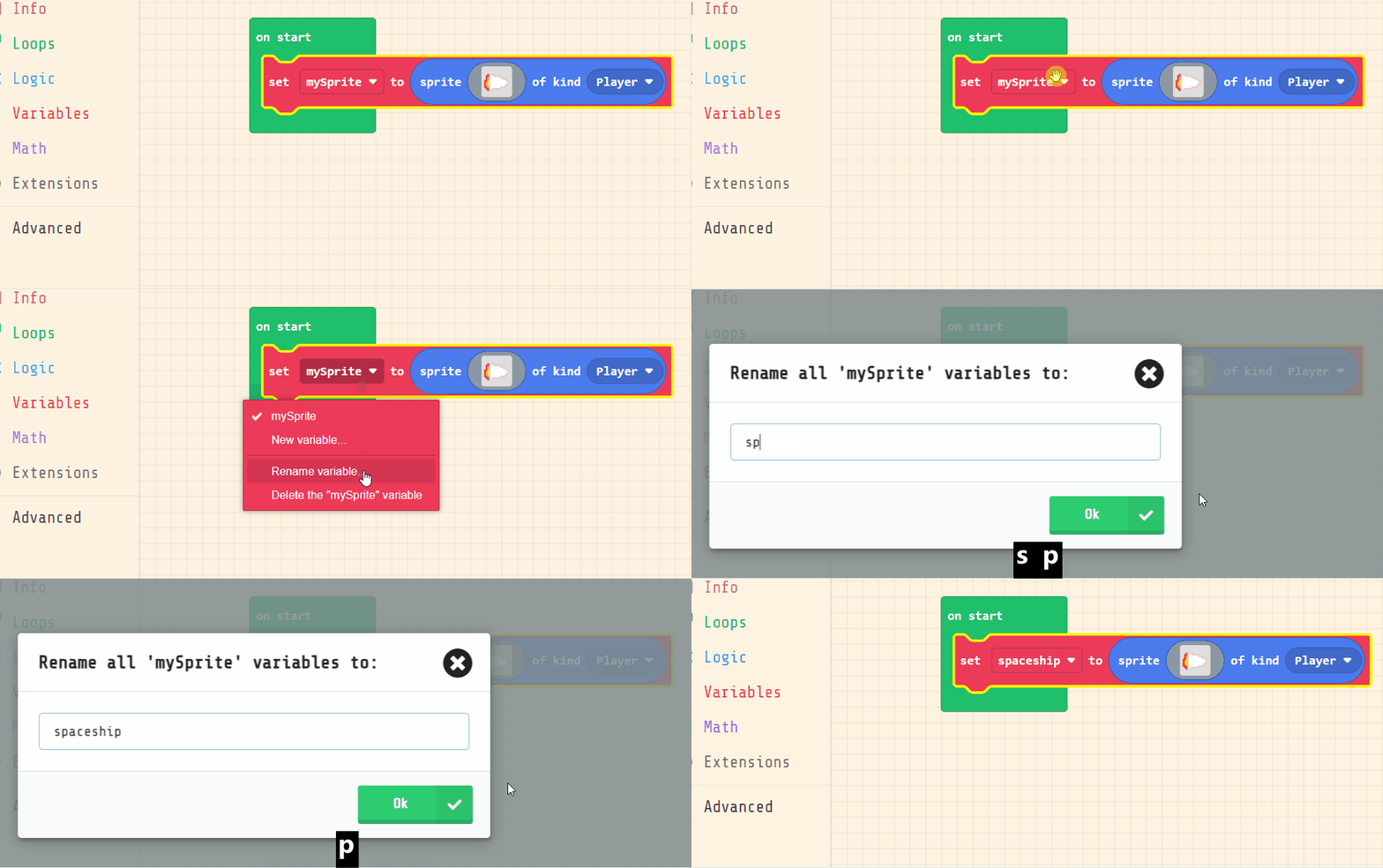
    Rename your sprite to spaceship.

    let spaceship = sprites.create(img`
        . . . . . . . . . . . . . . . . 
        . . . . . . . . . . . . . . . . 
        . . . . . d d d . . . . . . . . 
        . . 2 2 2 1 1 1 d d . . . . . . 
        . . 2 4 4 1 1 1 1 1 d d . . . . 
        . 2 4 4 5 1 1 1 1 1 1 1 d d . . 
        2 4 4 5 5 1 1 1 1 1 1 1 1 1 d d 
        2 2 4 4 5 1 1 1 1 1 1 1 d d . . 
        . 2 2 4 4 1 1 1 1 d d d . . . . 
        . . 2 2 2 d d d d . . . . . . . 
        . . . . 2 d d . . . . . . . . . 
        . . . . . . . . . . . . . . . . 
        . . . . . . . . . . . . . . . . 
        . . . . . . . . . . . . . . . . 
        . . . . . . . . . . . . . . . . 
        . . . . . . . . . . . . . . . . 
        `, SpriteKind.Player)


    5 - Control the Spaceship ~3 mins

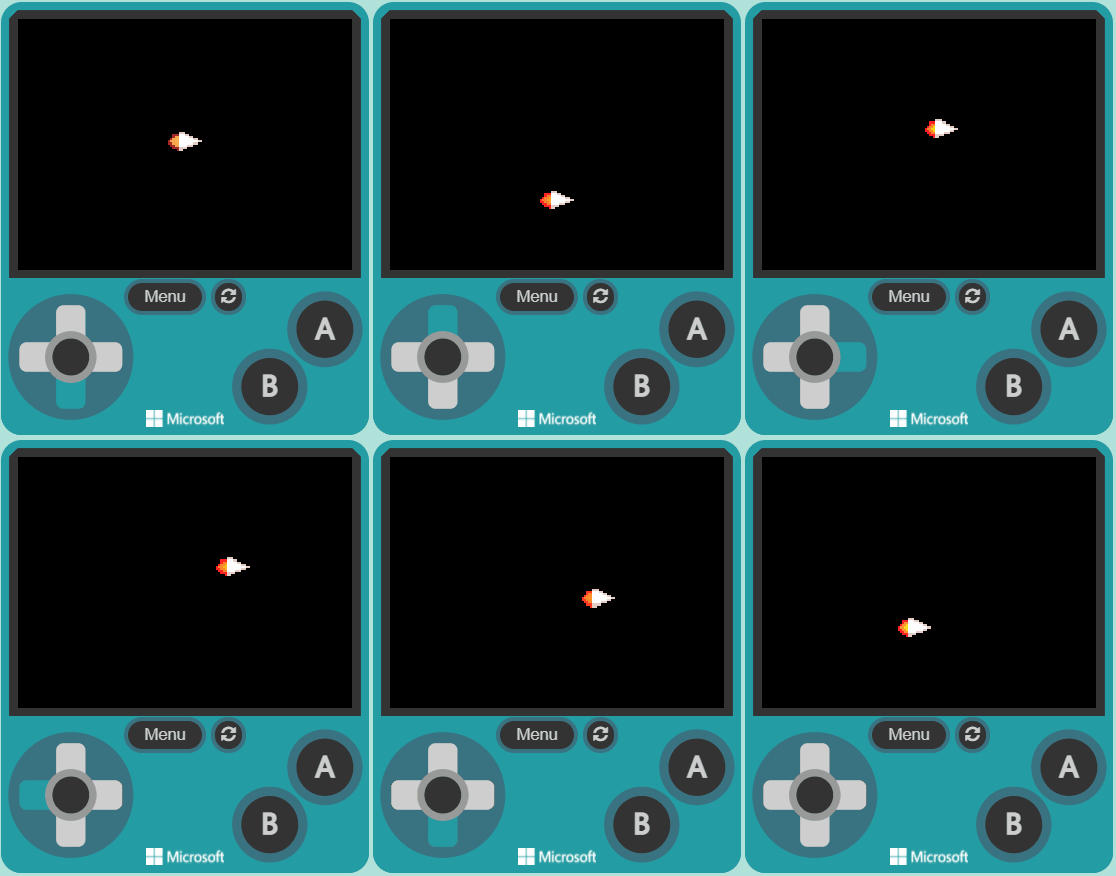
    Now add the following new code to control the spaceship with the arrow keys and set it so that it cannot go off the screen.

    let spaceship = sprites.create(img`
        . . . . . . . . . . . . . . . . 
        . . . . . . . . . . . . . . . . 
        . . . . . d d d . . . . . . . . 
        . . 2 2 2 1 1 1 d d . . . . . . 
        . . 2 4 4 1 1 1 1 1 d d . . . . 
        . 2 4 4 5 1 1 1 1 1 1 1 d d . . 
        2 4 4 5 5 1 1 1 1 1 1 1 1 1 d d 
        2 2 4 4 5 1 1 1 1 1 1 1 d d . . 
        . 2 2 4 4 1 1 1 1 d d d . . . . 
        . . 2 2 2 d d d d . . . . . . . 
        . . . . 2 d d . . . . . . . . . 
        . . . . . . . . . . . . . . . . 
        . . . . . . . . . . . . . . . . 
        . . . . . . . . . . . . . . . . 
        . . . . . . . . . . . . . . . . 
        . . . . . . . . . . . . . . . . 
        `, SpriteKind.Player)
    controller.moveSprite(spaceship, 150, 150)
    spaceship.setStayInScreen(true)
    
    Make sure each block has the spaceship variable selected in it.

    Click on the + on the move with buttons block and put in vx 150 and vy 150 to set the velocities for the x axis and y axis.
    Once you've added the code test that you can move your spaceship around with the joystick (or the arrow keys on your keyboard).

    123learn · Online learning platform

    Unlock the full learning experience

    You're previewing this lesson. Get full access to this lesson and hundreds more — each one ready to teach, with interactive activities, printable resources and pupil progress tracking built in.

    Hundreds of curriculum-aligned lessons
    Interactive activities in every lesson
    Printable resources & progress tracking
    Copyright Notice
    This lesson is copyright of Coding Ireland 2017 - 2025. Unauthorised use, copying or distribution is not allowed.
    🍪 Our website uses cookies to make your browsing experience better. By using our website you agree to our use of cookies. Learn more