 You can already run Python on the micro:bit and show values on the LED display.
Today you will store a collection of values in a list, change that list, and loop over it to build LED light patterns.
Before you run anything, think: if a list holds five numbers and you ask for the item at index 0, which number do you expect?
In this lesson, you'll learn the basics of working with arrays in MicroPython. You'll create a simple list, retrieve elements from the list, change elements, add new elements, and remove elements from the list. By the end of this lesson, you'll have a solid understanding of how to work with arrays in MicroPython.
To get started, open the micro:bit Python editor at https://python.microbit.org and create a new project.
An array is a collection of items, like numbers or strings, stored in a single variable. In MicroPython, arrays are often called lists. They are useful when you want to store and manipulate multiple values using a single variable.
In this lesson, we'll use the terms 'array' and 'list' interchangeably.
Lists can store different types of data, such as integers, strings, or even other lists. For example:
- Integer List:
[1, 2, 3, 4, 5] - String List:
['apple', 'banana', 'cherry'] - Mixed List:
[1, 'apple', 3.14]
Now, let's create a list called 'numbers' with five elements. The elements are the integers from 1 to 5. Add the following code to your editor:
from microbit import *

numbers = [1, 2, 3, 4, 5]
numbers with five elements. The elements are the integers from 1 to 5.Now, let's retrieve elements from the list using their index. Add the following new code:
from microbit import *

numbers = [1, 2, 3, 4, 5]

first_number = numbers[0]
second_number = numbers[1]

display.show(first_number)
sleep(1000)
display.show(second_number)
This code retrieves the first and second elements of the list (at index 0 and 1) and displays their values.
numbers[index_value] to retrieve different items from the list, and run your code again. e.g. numbers[3] will retrieve the fourth item in the list.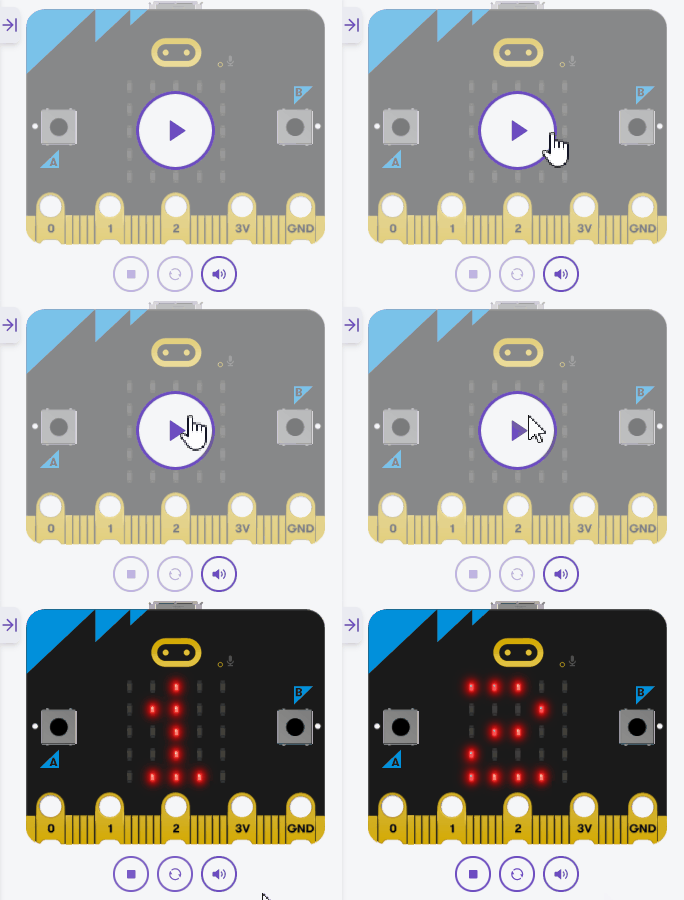
Unlock the full learning experience
You're previewing this lesson. Get full access to this lesson and hundreds more — each one ready to teach, with interactive activities, printable resources and pupil progress tracking built in.
This lesson is copyright of Coding Ireland 2017 - 2026. Unauthorised use, copying or distribution is not allowed.