
Today you will
- make a copy of your proposal draft
- add margins, a header, page numbers and an image
- add a table and a list, then check it in print preview
By the end you will have {{code:04_polished_proposal}}, a redesigned version of your draft.
Picture two posters on the school notice board. Why would you stop to read one and walk past the other?
Margins are the empty space around the edge of the page.
A header and footer repeat at the top and bottom of every page.
A table puts information in rows and columns, which is quicker to read than a paragraph.
Print preview shows how your document will look on paper, so you can spot problems.
| Design move | Before | After |
|---|---|---|
| Margins | Normal margins push her text onto a third page. | Narrow margins fit it on two pages. |
| Header and footer | A reader holding page 2 cannot tell whose it is. | The header says "TY Gaeltacht Trip Proposal, Aoife Ní Chonaill". The footer shows the page number. |
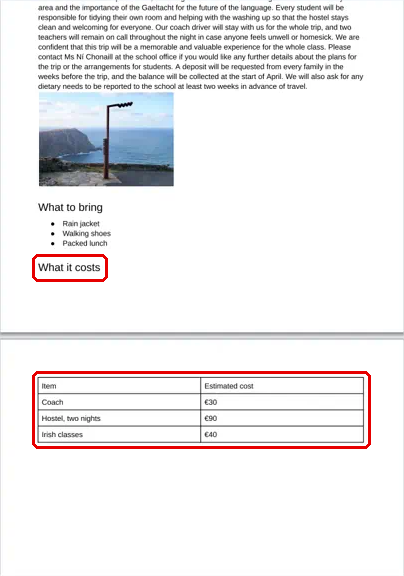
| Table | Her costs are buried in one long sentence. | A table lists each cost on its own row. |
| Print preview | The heading "What it costs" sits alone at the bottom of page 1. | A page break moves it to the top of page 2, with its table. |
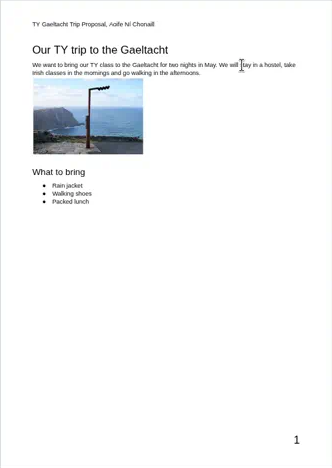
Only add a design move if you can say what it gives the reader.
You will make a copy of your proposal draft and redesign it. Your original draft stays as it is.
Do the first four moves first: margins, a header, a page number and an image. Then add a table, a list and a print preview check. Follow the steps in the box below. If you run out of time, finish in the next task.
Common issues
- If your image pushes text onto page 2, click it and drag a corner handle inward.
- If your table columns look messy, drag the line between two columns. In Word you can also click in the table and choose {{btn:Distribute Columns}} on the Table Layout tab.
- If a heading sits alone at the bottom of a page, click just before it and press {{kbd:Ctrl+Enter}}, or {{kbd:Cmd+Enter}} on a Mac.
Independent Practice
- Open {{code:04_polished_proposal}} in {{code:Digital_Portfolio}}.
- Do any moves you missed in the step-by-step. This is often the table or the bullets.
- Change your table and lists to use real details from your Something Real project.
- Check your work in print preview.
- Leave {{code:03_proposal_draft}} just as it is.
- My polished version clearly looks better than my draft.
- Every page has my project title and a page number.
- I can say what each image, table and list gives the reader.
- Both files are in my {{code:Digital_Portfolio}} folder.
Unlock the full learning experience
You're previewing this lesson. Get full access to this lesson and hundreds more — each one ready to teach, with interactive activities, printable resources and pupil progress tracking built in.
This lesson is copyright of Coding Ireland 2017 - 2026. Unauthorised use, copying or distribution is not allowed.