You're previewing the student experience. You don't need to complete this lesson — your progress and XP aren't saved.
Beginner
60 mins
Teacher/Student led
+90 XP
Pupils work on their own device

Welcome to ICT: Pick Something Real and Set Up Your Workspace

Students learn that five Key Assignments live in one Project Portfolio, pick a vocationally anchored Something Real project, create their cloud folder and 01_project_brief, and complete a short brief with What, Why, Who, and three ICT goals.

Teacher Class Feed

Load previous activity

    1 - Introduction ~5 mins

    Today you will

    • pick a real project that you care about
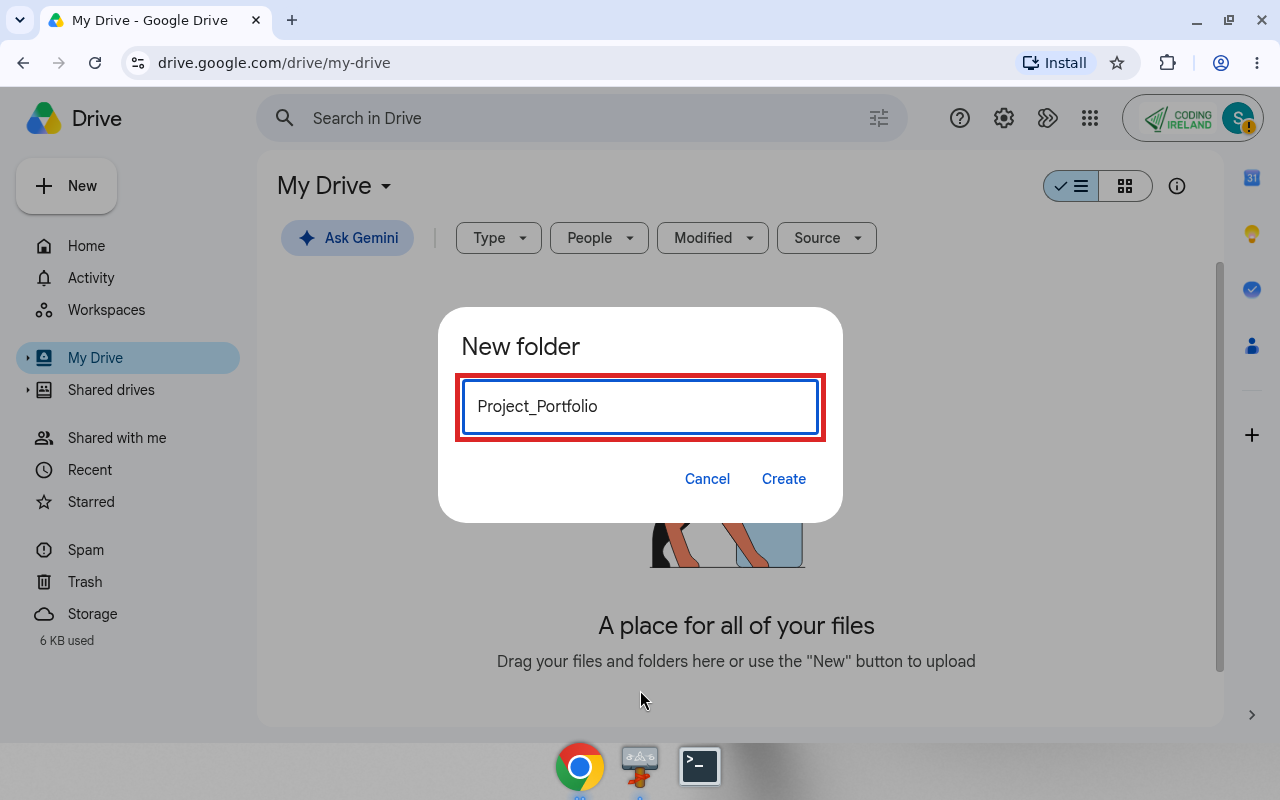
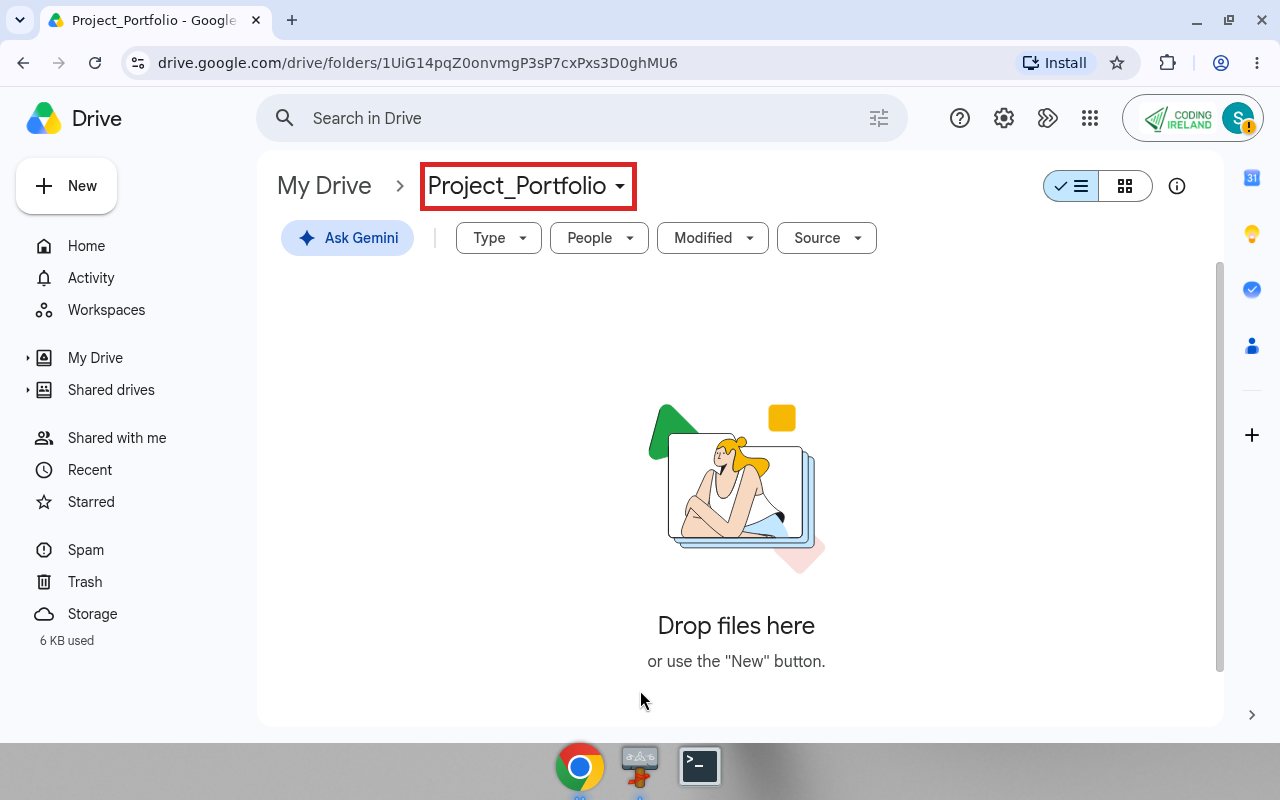
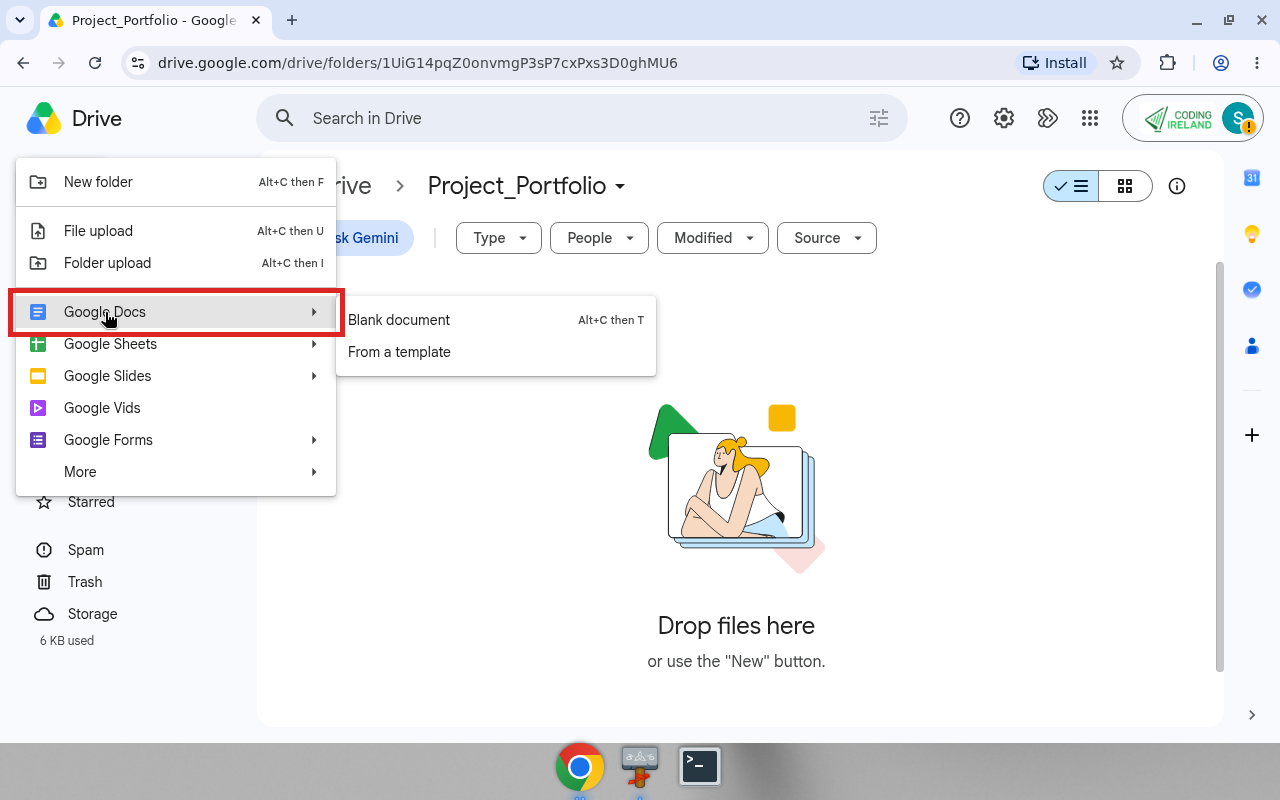
    • make your {{code:Project_Portfolio}} folder
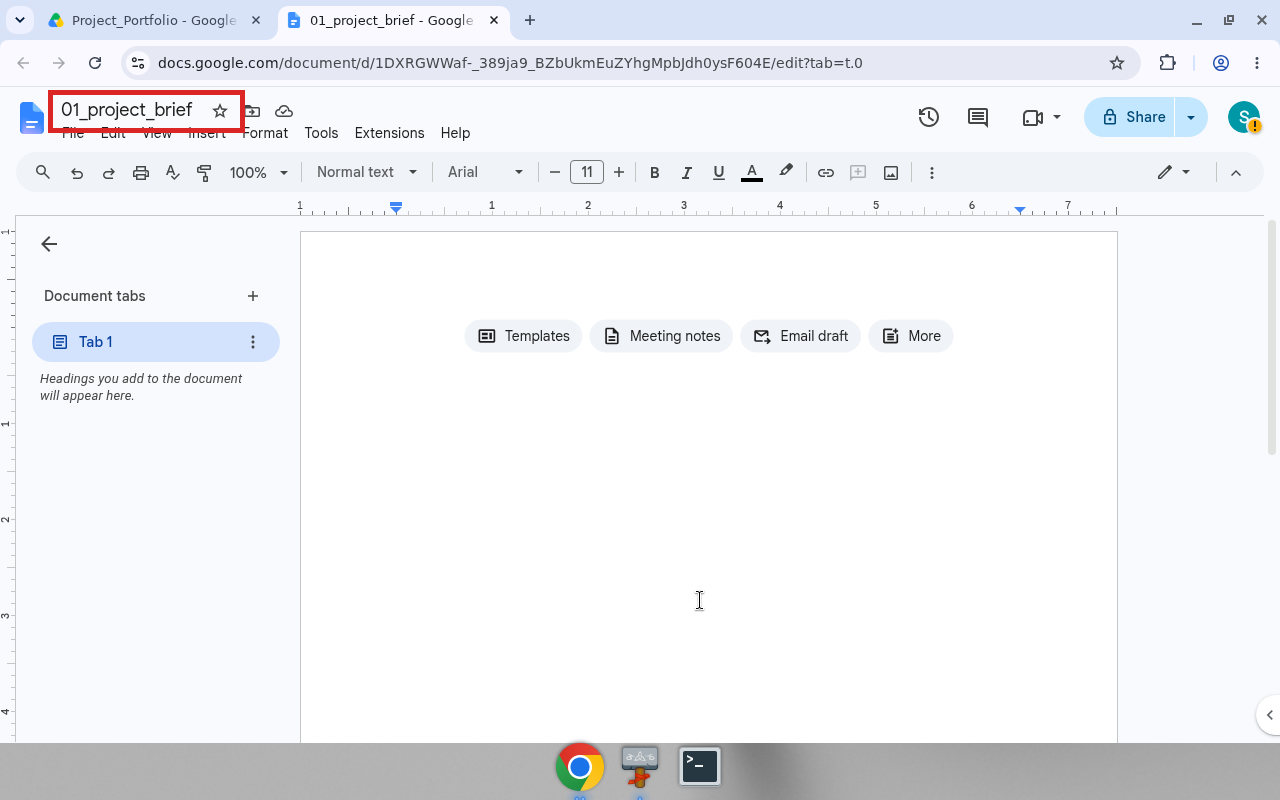
    • fill in your first file, {{code:01_project_brief}}

    Your Something Real is one project from your own interests, made for real people.

    Warm-up

    What are you really into right now, like a sport, a club or a side hustle? Who is one person outside this room who might care about it?

    2 - Your Course Journey ~8 mins

    How this course works

    This year you will do five Key Assignments. Each one is saved in your {{code:Project_Portfolio}} folder, and your teacher checks it there. There is no final written exam.

    What goes in your folder

    • Today you make {{code:01_project_brief}}.
    • Later you add documents, research, a budget and a promo piece for your project.
    • At the end you give a short pitch and show your whole folder.
    Key point

    Today you only make one file.

    3 - Choose Your Something Real ~7 mins

    Pick one type of project

    • Selling something you make
    • A club, team or event
    • Your Work Experience placement
    • Something your area needs
    • A hobby you could teach others
    • Something you are training for
    Example

    Jamie designs phone cases to sell at local markets and on Instagram. The cases are for classmates and a weekend market stall holder.

    Tell your partner

    Who outside this room would care about your project? Name a person, like a coach or a neighbour.

    4 - Set Up Your Project Portfolio ~12 mins

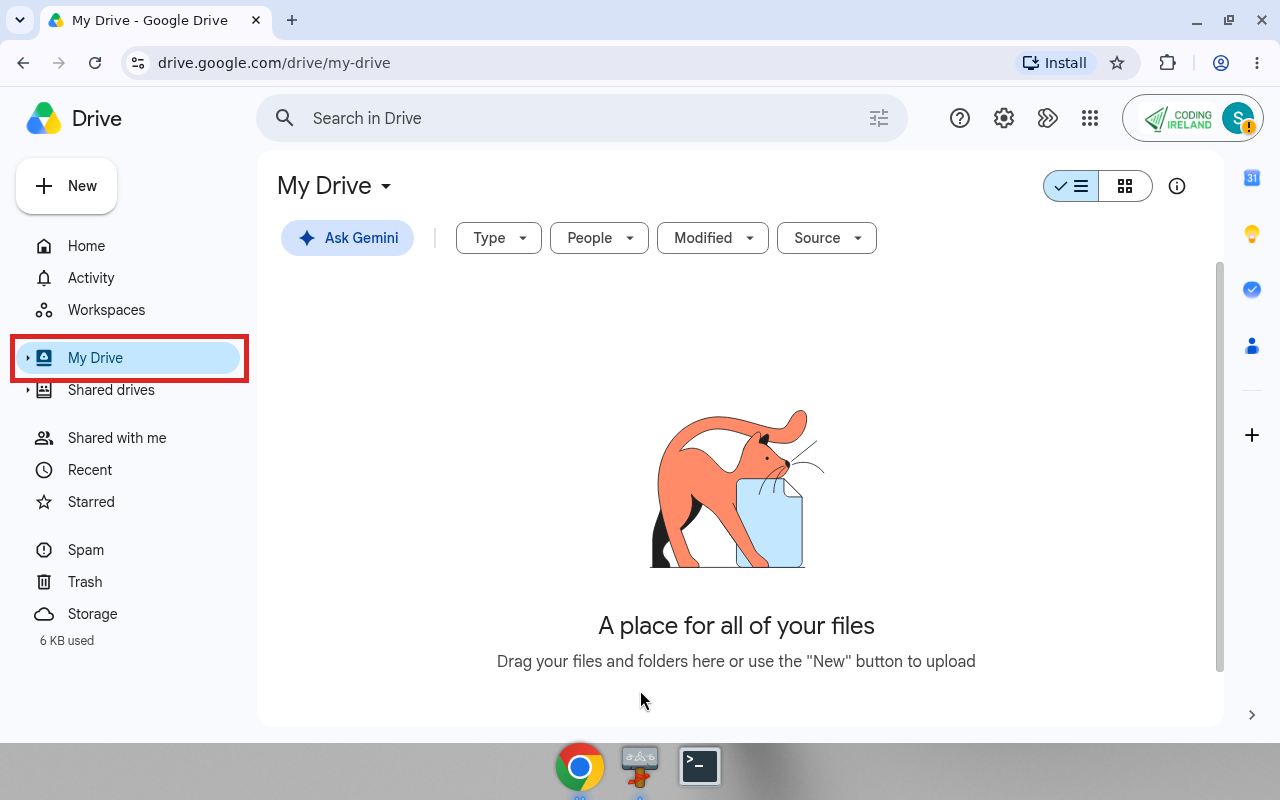
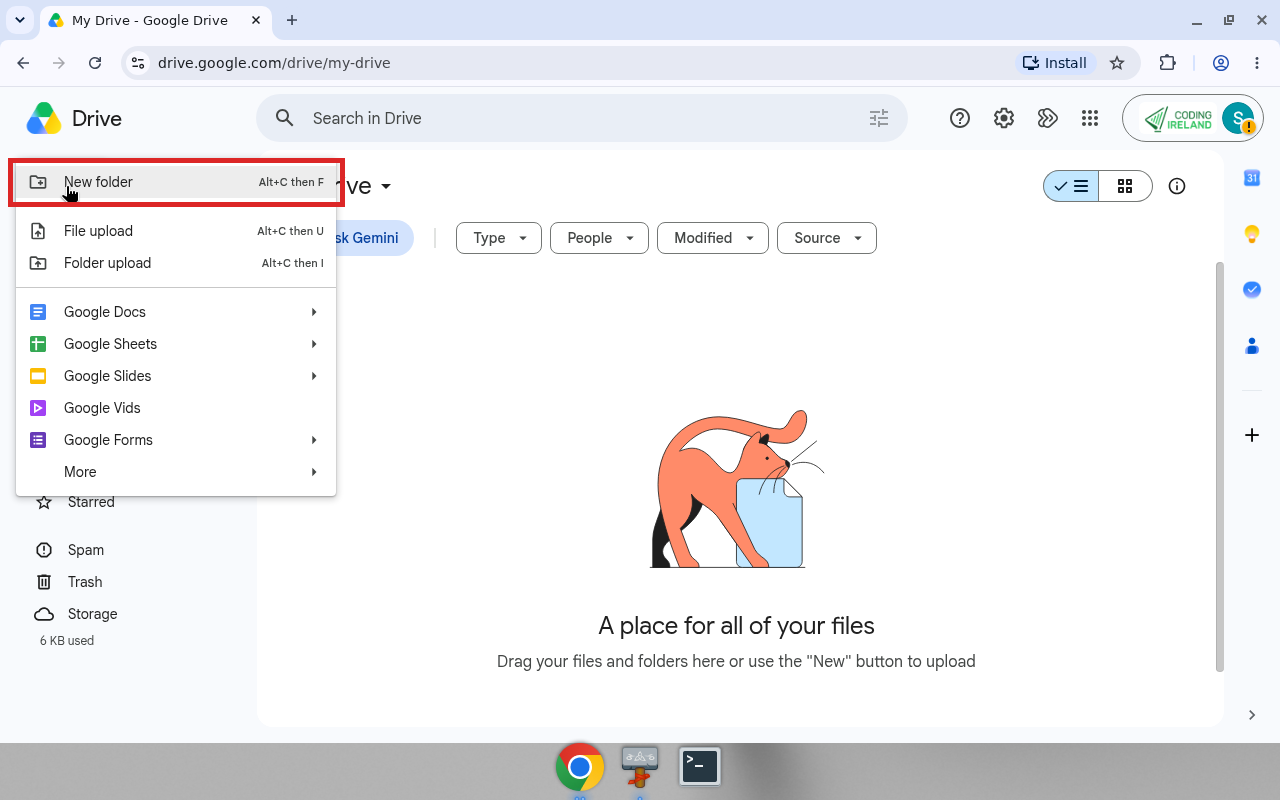
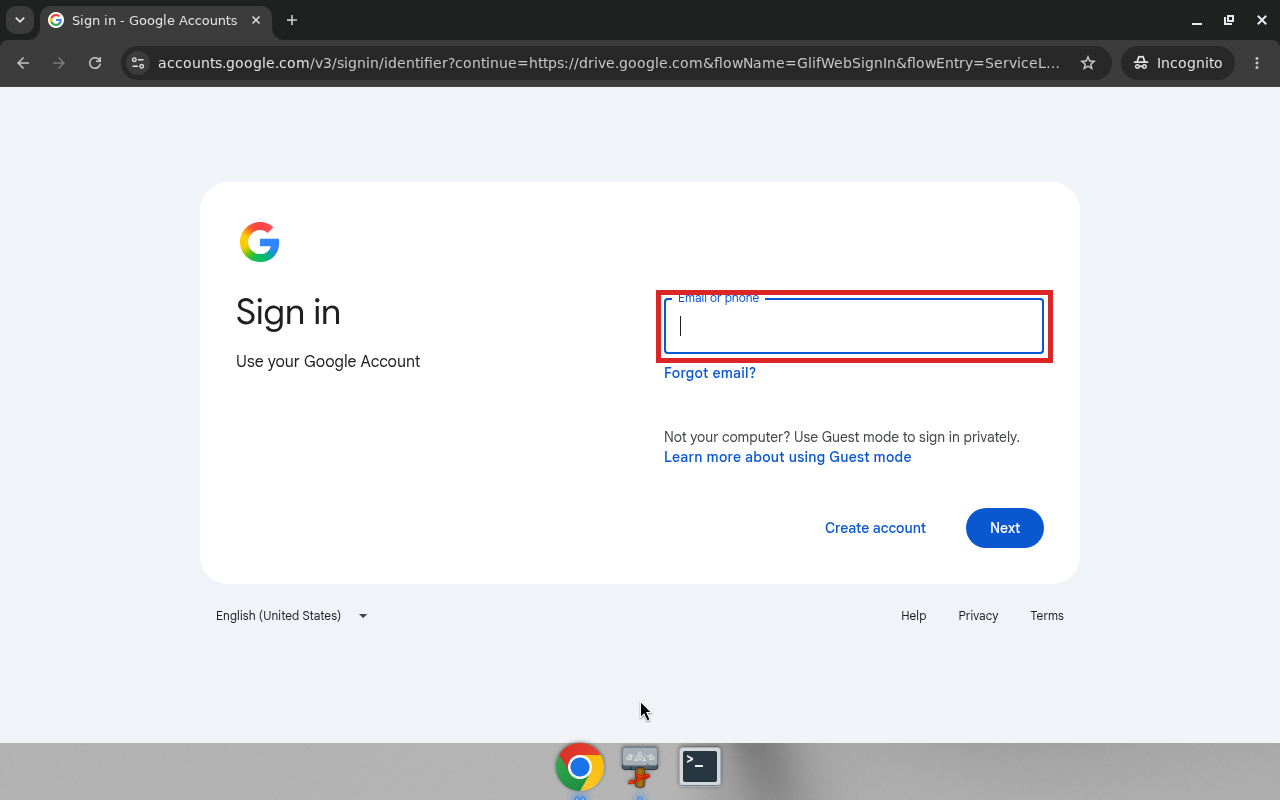
    You will make your {{code:Project_Portfolio}} folder, then a blank {{code:01_project_brief}} inside it. Sign in with your school email, not a personal one.

    Your teacher will tell you whether to use OneDrive or Google Drive. Follow those steps in the box below.

    5 - Common Issues ~2 mins

    Common issues

    • If you can't sign in, use your full school email, not a personal one.
    • If your brief is not in {{code:Project_Portfolio}}, open the folder first and make the file from inside it.
    • If the name won't change, click the title at the top of the document.
    • If you see someone else's files, sign out, close the browser and sign in again as yourself.

    6 - Independent Practice ~18 mins

    Independent Practice

    Your goal: Fill in your Project Brief for your own Something Real project.
    Time: ~15 minutes
    Task:
    1. Show your teacher that {{code:01_project_brief}} opens from inside {{code:Project_Portfolio}}.
    2. Type the four headings: What, Why, Who and 3 ICT goals.
    3. Under each heading, write about your own project. Use Jamie's brief below as a guide.
    4. For Who, name a real person or group outside this room.
    5. For each ICT goal, name one skill you want to get better at.
    Success criteria:
    • My brief is saved inside {{code:Project_Portfolio}}.
    • All four sections are filled in.
    • Who names a real person or group, not only my teacher.
    • Each ICT goal names a real skill.

    Jamie's brief

    What: Custom phone-case designs sold at local markets and through Instagram.

    Why: Test whether weekend sales can cover materials in the first month without losing money.

    Who: Classmates who want personalised cases, plus a weekend market stall holder who might stock a small batch.

    3 ICT goals: (1) Write a clear one-page pitch people will actually read. (2) Build a budget that updates when costs change. (3) Design one promo graphic I would be happy to post.

    Sentence starters: This is for … who will use it to … / I want to get better at … so that I can …

    A goal like "get better at computers" is too vague.

    7 - Reflection ~4 mins

    Think about

    • Which part of your brief was hardest to write?
    • If a coach or supervisor read your Who line, would they see why your project matters?

    Share one answer with the class.

    8 - Lesson Summary ~4 mins

    What you covered

    • I can say where my five Key Assignments are kept.
    • I can pick a Something Real project and say who it is for.
    • I can make {{code:Project_Portfolio}} and open files from inside it.
    • I can fill in {{code:01_project_brief}}.

    Before you leave

    Sign out of your school account and close the browser.

    End of lesson
    123learn · Sample lesson

    That was a sample lesson from LCA Introduction to ICT

    Every lesson in the course is ready to teach like this one. See what else comes with it, and how to order it.

    Copyright Notice
    This lesson is copyright of Coding Ireland 2017 - 2026. Unauthorised use, copying or distribution is not allowed.
    🍪 Our website uses cookies to make your browsing experience better. By using our website you agree to our use of cookies. Learn more