Secondary Transition Year

Introduction to Coding

Get started with coding through fun, interactive projects.

  • Mapped to the NCCA curriculum

The whole first lesson, as your class sees it. No sign-in needed.

On the board, and on their devices
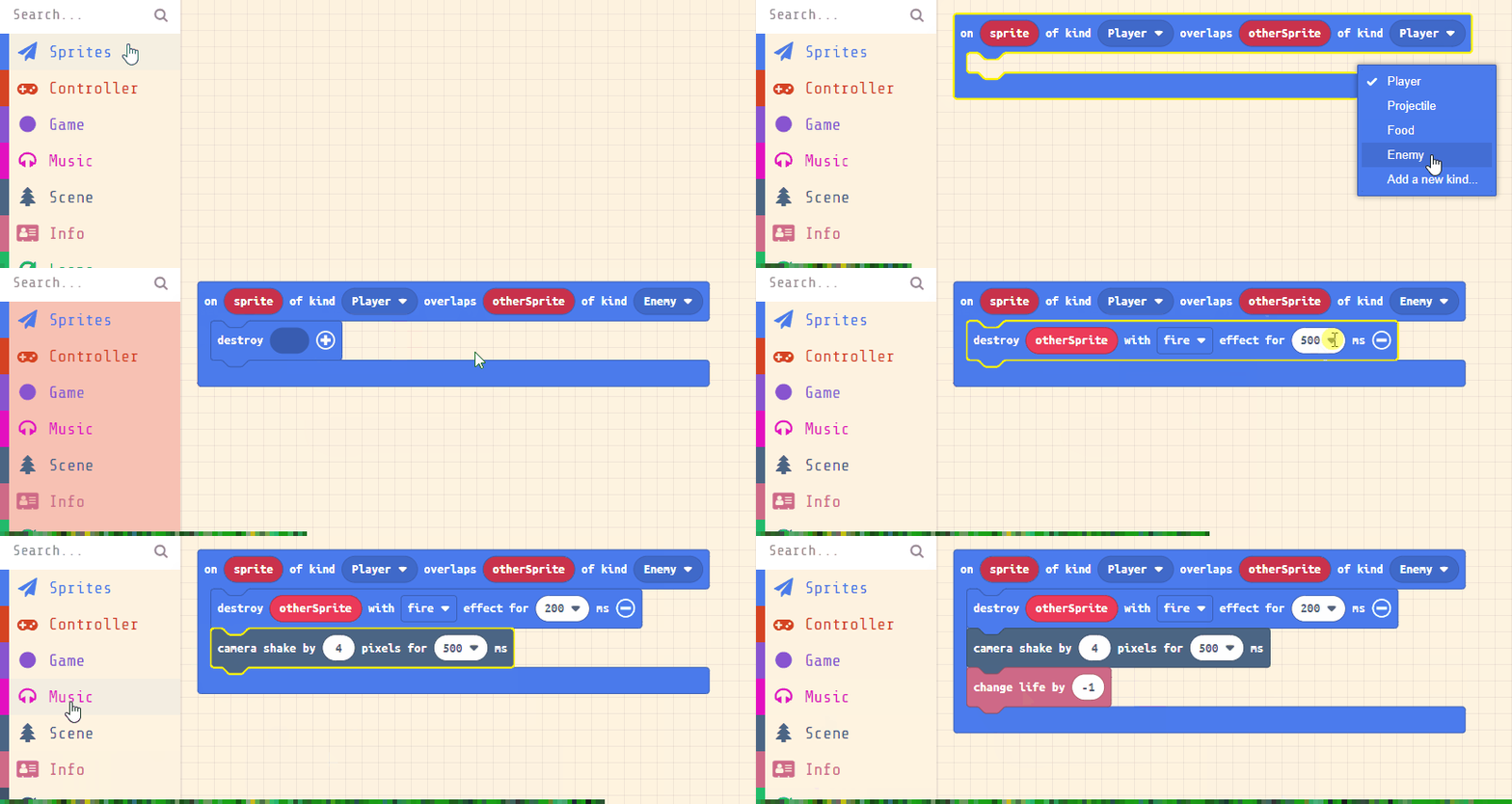
A space game in MakeCode Arcade
Coding a space shooter
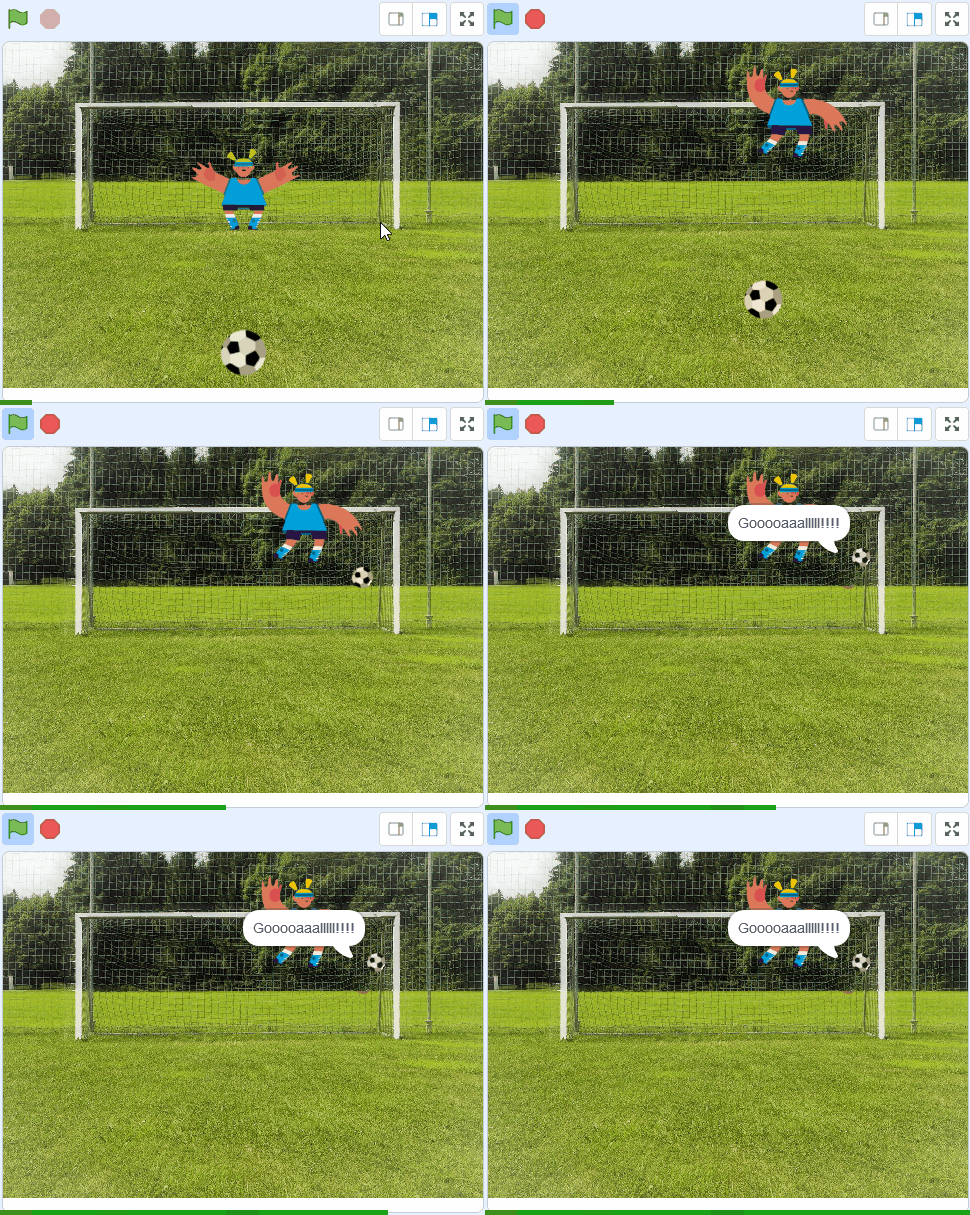
A penalty game in Scratch

The same lesson opens on each student's own device, to follow in class and finish at home.

What your school gets

Everything a teacher needs to teach Introduction to Coding this year.

In class

  • 10 lessons, ready to teach Each one planned step by step, taught from the board with the same lesson open on each student's device. 2 interactive activities across the course.
  • Quizzes and assessments A short quiz with every lesson.
  • Progress and resultsWhat each student has completed, and how they did.
  • CertificatesFor portfolios, open days and reports home.
  • Try the first lesson: Welcome: Build Your First Scratch Program

On paper

  • Teacher Resource BookThe whole course laid out for the teacher, lesson by lesson, ready to print.
    The sample lesson's pages

The whole books come with the course, in each class's Resources.

The curriculum it covers

Every lesson is mapped to the specification. This course teaches 12 of the 42 outcomes for this class.

Personal Growth 2 of 11 outcomes
Being a Learner 9 of 12 outcomes
Civic and Community Engagement 1 of 11 outcomes
Career Exploration 0 of 8 outcomes
See every outcome
Curriculum Area
Outcomes
Personal Growth
P.1 P.2 P.3 P.4 P.5 P.6 P.7 P.8 P.9 P.10 P.11
Being a Learner
B.1 B.2 B.3 B.4 B.5 B.6 B.7 B.8 B.9 B.10 B.11 B.12
Civic and Community Engagement
C.1 C.2 C.3 C.4 C.5 C.6 C.7 C.8 C.9 C.10 C.11
Career Exploration
CE.1 CE.2 CE.3 CE.4 CE.5 CE.6 CE.7 CE.8

Tap any outcome to read it. The coloured ones are taught in this course. The curriculum does not include official reference codes for individual learning outcomes, so we have assigned a code scheme to make it easier to identify and track coverage.

The course, module by module

10 lessons in 3 modules. The lesson marked Sample opens in full.

1 Start Coding in Scratch 5 lessons · about 3 hours
2 Think Like a Programmer 3 lessons · about 2 hours
3 Build and Show 2 lessons · about 1 hour

What students learn

This introductory module offers a comprehensive exploration of coding fundamentals, guiding beginners through the essentials using Scratch, a user-friendly platform. Students will learn key concepts, create interactive games and projects, and develop problem-solving skills. From basic tutorials to showcasing unique creations, the module fosters creativity and technical proficiency.

The NCCA guidelines give teachers significant flexibility in designing and delivering Transition Year modules, allowing them to tailor them to their school's context and students' needs. Our coding and digital skills TY modules are each designed for 8-10 week rotations, typically involving approximately 10 classroom hours of student engagement, which can be integrated into the TY programme as standalone units or combined with other components. Schools may adapt the modules, including teaching approaches and school-based assessments such as portfolios or projects, to reflect specific learning priorities and align with the broader aims of the TY Programme Statement.

By the end of the course, students can

  1. Define coding and explain its importance in modern technology and daily life.
  2. Create a basic project in Scratch by adding sprites, backdrops, and simple movements.
  3. Develop interactive games in Scratch, such as a Paddle Ball or Racing Car game, using variables and control blocks.
  4. Design and code complex Scratch projects, incorporating loops, cloning, and conditional logic.
  5. Present a unique coded project, demonstrating problem-solving and debugging skills.

Build a full TY year around Introduction to Coding

This module is one of 10 Transition Year modules you can combine into a complete Year-Long TY Digital Skills Programme, shaped around your timetable and the students in front of you.

Run the same pathway for every student, or set different pathways for different groups. Students also get access to the modules they're not doing in class, which is ideal for the keen ones who finish early or want to explore further on their own time.

Prefer a deeper tech focus? Swap in Advanced Coding or Robotics and Automation. Each module is 10 to 16 lessons of 40-60 minutes, leaving room for school events, mid-terms and everything else TY throws at you.

Why TY coordinators choose it
One decision, a year's content
No more stitching resources together every term.
Flexible per class, per student
Run different pathways side by side.
Certificates after each module
Great for TY portfolios, open days and reports home.
Sets students up for Senior Cycle
Broad exposure so they choose subjects with confidence.
Sample Year Plan
ICT + Coding focus
  • Computer Skills
    Gets everyone on a level footing
  • Introduction to Coding
    Real, working projects from week one
  • Exploring Digital Media
    Video, design and storytelling
  • Exploring Artificial Intelligence
    The topic your students keep asking about
  • Enterprise and Business Basics
    A pitch-and-launch project to close out the year

Ready to bring Introduction to Coding to your school?

Get in touch to discuss pricing and ordering for your school.

Back to Transition Year courses
Ready to get started?
Pricing & Ordering Contact Us
🍪 Our website uses cookies to make your browsing experience better. By using our website you agree to our use of cookies. Learn more