Intermediate
40 mins
Teacher/Student led
+70 XP
What you need:
Chromebook/Laptop/PC
Wick Editor needs no account

Animate It, Part 1: Frames, Onion Skinning and Playback

Students draw a bouncing ball frame by frame in Wick Editor, use onion skinning to place each frame, and play it back.

Teacher Class Feed

Load previous activity

    1 - Start ~4 mins

    Illustration for StartFlick the corner of a notebook where someone has drawn a stick figure on each page. It walks.

    What actually happened

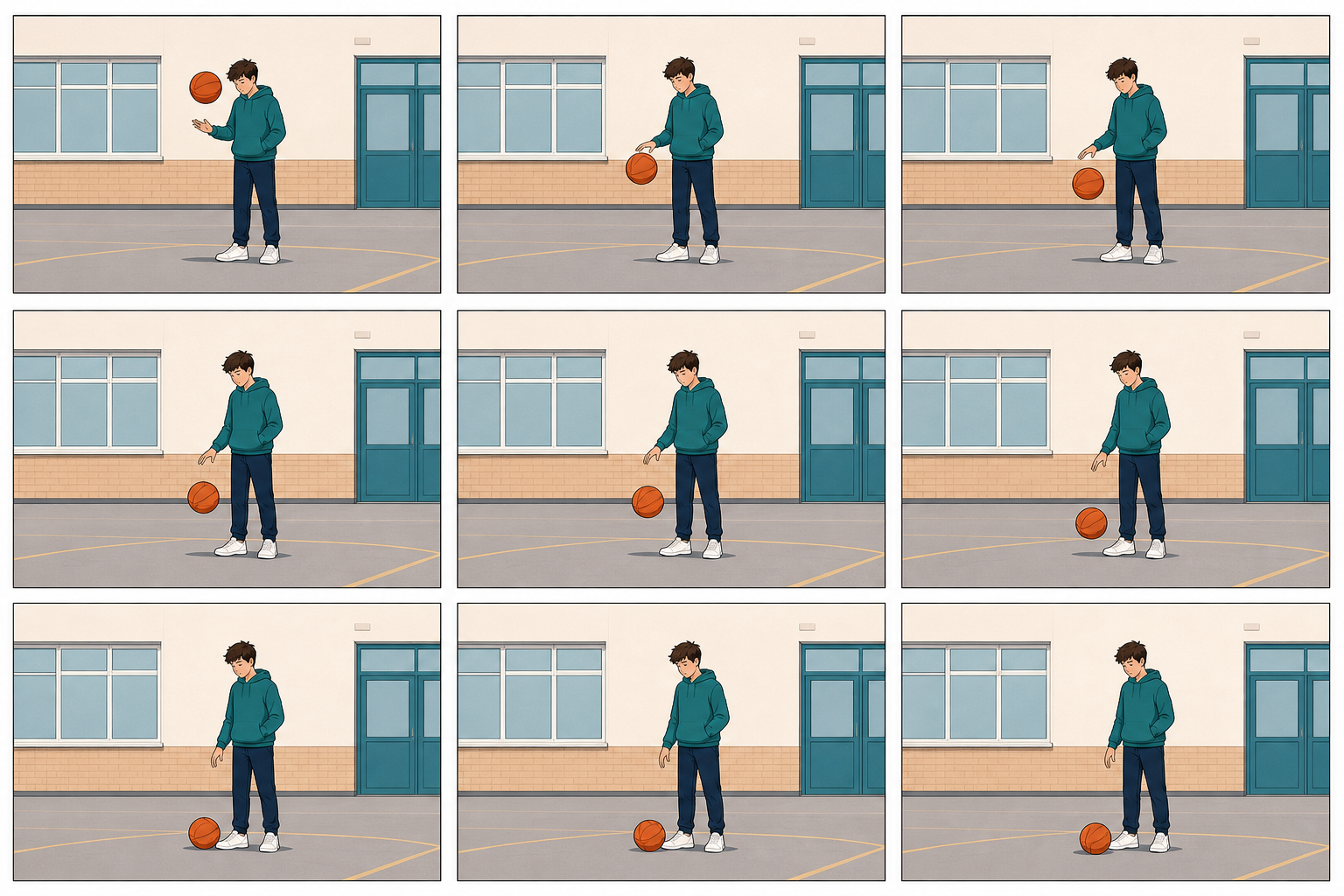
    Nothing moved. They are still drawings, shown one after another fast enough that your eye fills in the gap. That is all animation is.

    Today you make the drawings and play them back. Next lesson you organise them into layers and get the finished animation out of the tool.

    wickeditor.com runs in your browser with no account and no sign-up.

    2 - Frames and Frame Rate ~4 mins

    Illustration for Frames and frame rateA frame is one still picture. An animation is a row of them shown in order.

    TermWhat it means
    FrameOne drawing, one moment.
    Frame rateHow many play each second. Higher is smoother — and more drawing for you.
    Onion skinningSeeing faint copies of the frames either side, so you know where to draw next.
    PlayheadThe red line showing which frame you are looking at.
    The trick to movement that looks right

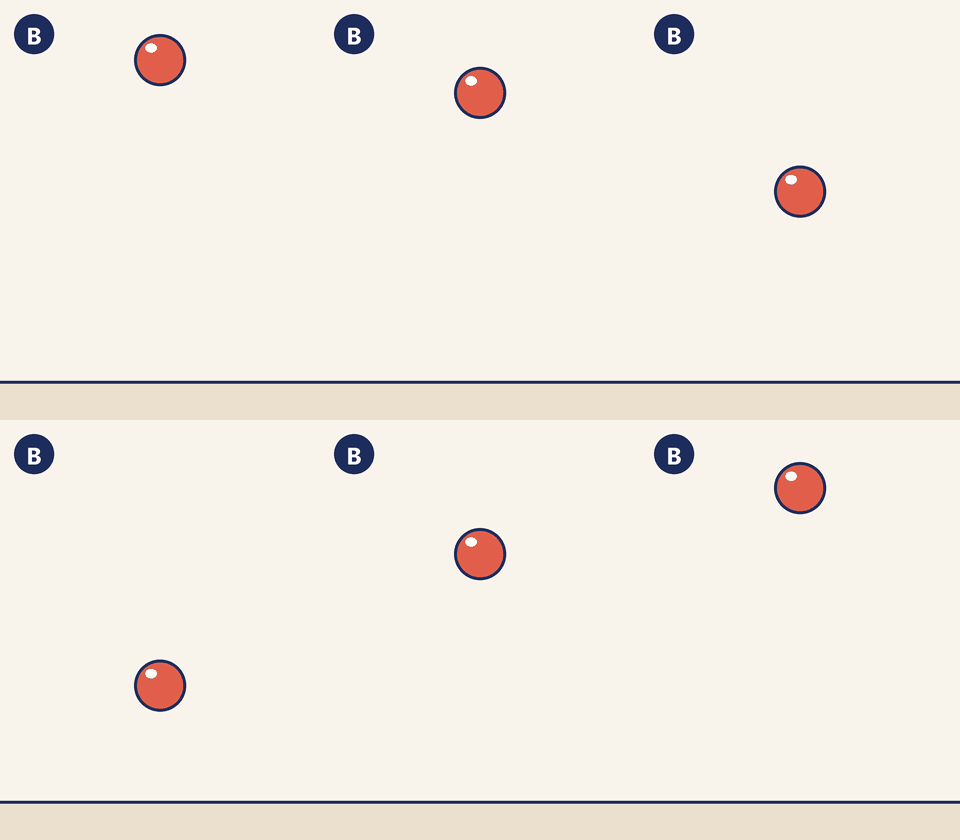
    Small changes between frames. Big jumps read as teleporting, not moving.

    3 - Hands-on: Draw Your First Frames ~13 mins

    Start a project and draw the top of a bounce.

    4 - Hands-on: Onion Skinning, Then Play It ~13 mins

    Turn on onion skinning to place the rising frames accurately, then watch the whole thing run.

    5 - Make Sense ~4 mins

    You made a row of still drawings and your eye turned them into movement.

    Key point

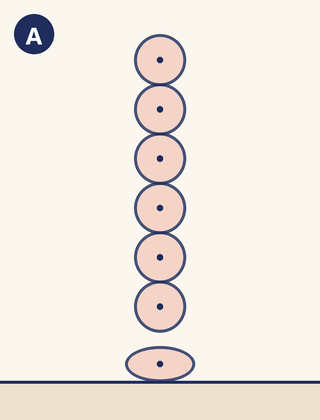
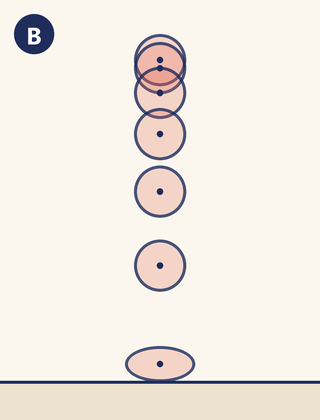
    The illusion lives in the SPACING between frames, not in any one drawing. Change the gaps and you change the speed, the weight and whether it looks real.

    What would happen if every frame moved the ball exactly the same distance, including at the top of the bounce?

    123learn · Online learning platform

    Unlock the full learning experience

    You're previewing this lesson. Get full access to this lesson and hundreds more — each one ready to teach, with interactive activities, printable resources and pupil progress tracking built in.

    Hundreds of curriculum-aligned lessons
    Interactive activities in every lesson
    Printable resources & progress tracking
    Copyright Notice
    This lesson is copyright of Coding Ireland 2017 - 2025. Unauthorised use, copying or distribution is not allowed.
    🍪 Our website uses cookies to make your browsing experience better. By using our website you agree to our use of cookies. Learn more