Today you will teach an AI image model, which is a program that learns to recognise pictures. You will use your webcam to show it your hand making rock, paper and scissors.

In the middle stage of the diagram, the model finds patterns. It does not know what a hand is, so it only looks for what your pictures have in common.
Before you start, think about what pictures will help the model tell the three gestures apart, and what might trick it.
Google's Teachable Machine is a free website that builds a machine learning model, which is a program that learns from the examples you show it. You show it pictures of each hand gesture through your webcam, and it learns to tell rock, paper and scissors apart. You do not need an account, and you do not write any code.


First, open the Google Teachable Machine website. This is where you will make your model.
Then click the Get Started button.

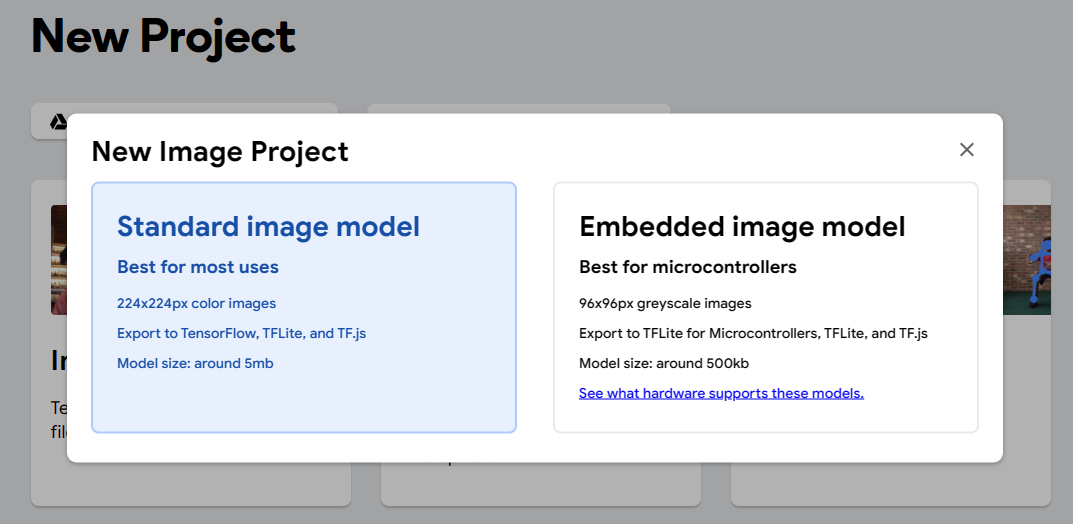
Click the Image Project button to start a new project, and then choose Standard image model. This takes you to the screen where you set up the classes for your model.
A class is a group of pictures that the model learns to recognise. Your model will have three classes: rock, paper and scissors. The model learns what the pictures in each class look like, so that it can tell them apart.

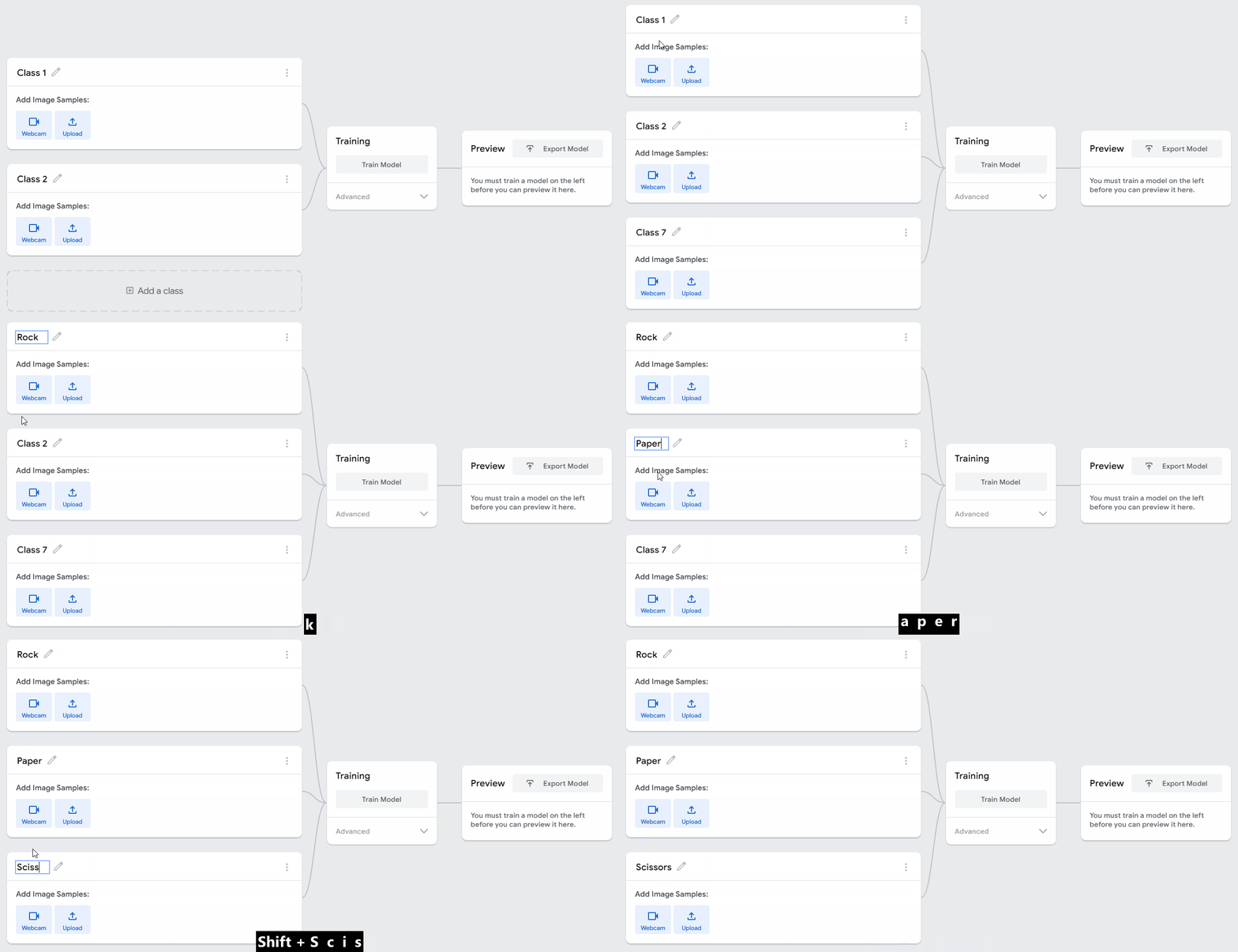
Your model already has two classes, called 'Class 1' and 'Class 2'.
Click the Add a class button to add a third class. Then rename your three classes to:
- Rock
- Paper
- Scissors
Unlock the full learning experience
You're previewing this lesson. Get full access to this lesson and hundreds more — each one ready to teach, with interactive activities, printable resources and pupil progress tracking built in.
This lesson is copyright of Coding Ireland 2017 - 2026. Unauthorised use, copying or distribution is not allowed.